12 Best USB Microphones of 2026 (Vocals, Streaming, Gaming & Music)
Berklee-trained Julian Reyes picks the 12 best USB microphones of 2026, from the Blue Yeti to the RØDE NT-USB+, for vocals, streaming, gaming, Zoom and music.
Updated
Every term at least one student sends me a recording of a song they have worked on for weeks, and the first thing I hear is not the playing. It is the laptop microphone: the fan, the room echo, and the thin, distant voice that makes a good take sound like a voicemail. The fix is almost always a USB microphone, and the best USB microphone for that student is rarely the one with the longest feature list. It is the one that suits the room they record in and the thing they are recording.
I trained at Berklee, I have recorded on everything from borrowed studio condensers to broadcast dynamics, and I spent years as a gear buyer deciding which microphones a store should stock and which would come back as returns. That last job taught me more about USB mics than any studio did, because returns show you exactly where the spec sheet and the real room part company.
This guide covers the 12 best USB microphones of 2026 for vocals, streaming, gaming, video calls and recording music. Every pick plugs straight into a computer, and several also work with a USB-C phone, tablet or console. If you are buying specifically for a talk show, our best podcast microphones guide goes deeper on multi-host recording, XLR broadcast mics and wireless kits.
| Product | Price | Buy |
|---|---|---|
| Logitech Creators Blue Yeti USB MicrophoneBest Overall | $99.99 | View on Amazon |
| FIFINE K669B USB Condenser MicrophoneBudget Pick | $36.99 | View on Amazon |
| RØDE NT-USB+ Professional USB Condenser MicrophonePremium Pick | $168.00 | View on Amazon |
| HyperX QuadCast 2 USB MicrophoneRunner-Up | $119.99 | View on Amazon |
| Razer Seiren V3 Mini USB Microphone | $49.00 | View on Amazon |
| Elgato Wave Neo USB Condenser Microphone | $71.99 | View on Amazon |
| FIFINE AmpliGame AM8 USB/XLR Dynamic Microphone | $56.99 | View on Amazon |
| Sennheiser Profile USB Microphone | $130.57 | View on Amazon |
| RØDE NT-USB Mini | $103.00 | View on Amazon |
| Logitech for Creators Blue Yeti Nano | $109.54 | View on Amazon |
| Shure MV7+ USB-C & XLR Dynamic Microphone | $299.00 | View on Amazon |
| HyperX SoloCast 2 USB Condenser Microphone | $44.99 | View on Amazon |
Find the Best USB Microphone for Your Need
Jump to the section that matches how you will use the mic:
- Best USB microphones overall
- Best USB microphone for vocals and singing
- Best USB microphone for gaming
- Best USB microphone for streaming
- Best USB condenser microphone
- Best USB microphone for recording music
- Best USB-C microphone
- Best USB dynamic microphone
- More use cases: PS5, Zoom, YouTube, Mac and voice over
How I Chose These USB Microphones
I did not run these twelve mics through a lab. I did the job I used to do as a buyer: start from the published specifications, confirm that every listing is live and sold new, and then read owner feedback for the patterns that repeat. One angry review tells you about one bad unit. The same complaint from owner after owner, such as a connector that wears out or a mute button that misfires, tells you about the design, and I have kept those complaints in the cons.
Then I applied a recording musician’s judgment to the specs. Capsule type tells you how much of the room you will hear. Polar pattern tells you whether a mic can record a duet or only one voice. A headphone jack tells you whether a singer can monitor without delay. Bit depth tells you how much headroom you have before noise becomes a problem. I weighed each of those against what a particular buyer actually needs, which is why a budget gaming mic and a vocal condenser can both earn a place without competing for the same slot.
Best USB Microphones Overall
Each of the twelve mics below gets a full review, starting with the one I would recommend most broadly. Farther down, use-case sections pull the right two or three together so you can compare and decide quickly.
Best Overall: Logitech Creators Blue Yeti
The Yeti has been the default answer to “which USB mic should I buy” for about a decade, and it holds that spot through flexibility rather than any single standout spec. Three capsules inside the grille give it four pickup patterns. Cardioid handles a solo voice or a guitar. Bidirectional records two people facing each other across one mic, which is the simplest honest way to capture a duet or an interview. Omni picks up a whole table on a call, and stereo gives you width on a room recording or a piano. Apart from the QuadCast 2, no other mic here covers all four.
Every control you need is on the body: gain, mute, the pattern selector and headphone volume, with a zero-latency 3.5mm jack so you hear yourself in real time. That matters more than most buyers realise, and I explain why in the monitoring section below. Add a pair of studio headphones and you have a complete recording setup on one desk.
The limits are the ones every condenser shares, plus a couple of its own. It hears the room, so a bare bedroom with a loud fan will come through. It records at 16-bit, which is fine for speech and streaming but leaves less headroom for dynamic singing than the 24-bit mics here. The stand is heavy, and a share of owners report durability problems over time. None of that changes my answer for most people: it is the USB mic that does almost every job well.

Logitech Creators Blue Yeti USB Microphone
by Logitech
Four patterns, every control on the body, and a sound owners rate above everything else about it, in a mic that needs no setup at all.
Pros
- Four switchable patterns (cardioid, omni, bidirectional and stereo) let one mic handle a solo voice, a face-to-face duet, a round-table call or a stereo room recording
- Owners praise its sound above everything else about it, and the three-capsule design gives a full, present voice without any software tweaking
- True plug-and-play on Windows and macOS: one cable, no drivers, and it records the moment the computer sees it
- Gain, mute, pattern and headphone volume all live on the body, with a zero-latency 3.5mm jack so you hear yourself without delay
Cons
- As a sensitive condenser it hears the whole room, so keyboard clatter, fans and echo arrive with your voice unless the space is quiet
- A share of owners report durability problems over time, most often with the connector or the controls
- The fixed metal stand is large and heavy, and the mic itself is a lot of weight for a light boom arm
Best Budget: FIFINE K669B USB Condenser Microphone
The K669B is the mic I point students to when the budget is close to nothing and the goal is simply to stop sounding like a laptop. It is a cardioid condenser in a metal body with one volume knob, and it works the moment you plug it in. For online lessons, Discord, voice notes and casual streaming, the improvement over a built-in mic is dramatic, and owners say exactly that.
What you give up is everything beyond the basics. There is no headphone jack, so you cannot monitor your own voice through the mic, which rules it out for serious singing. There is no noise processing, so a busy room comes through. Some owners report units failing after months of daily use, a trade most buyers at this level accept knowingly. The listing names PS4 and PS5 support, so it can double as a console chat mic.
If you are buying a first mic to find out whether recording is something you will stick with, this is the low-risk way to find out.

FIFINE K669B USB Condenser Microphone
by FIFINE
A no-frills metal condenser that sounds far better than a laptop mic and asks almost nothing of your budget.
Pros
- Clear, intelligible voice for calls, classes and casual streaming, which is exactly what most first-time buyers need
- Exceptional value: it does the core job of a USB mic for a small fraction of what the premium picks cost
- Plug it in and it works on PC and Mac, and the listing names PS4 and PS5 support as well
- A metal body and a simple volume knob, with nothing to configure and nothing fragile to snag
Cons
- Some owners report it failing after months of daily use
- A condenser with no noise processing, so it picks up background sound in a busy room
- No headphone jack, so you cannot monitor your own voice through the mic
Best Upgrade: RØDE NT-USB+
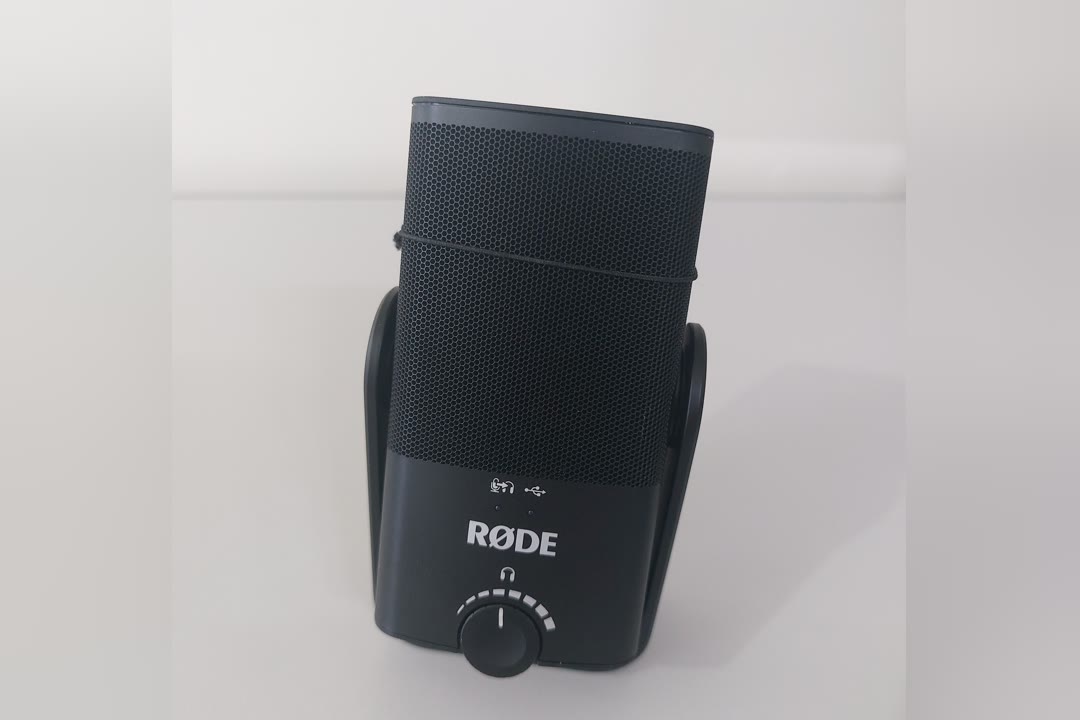
If you sing, or you record acoustic guitar, piano or any instrument where detail matters, the NT-USB+ is the USB mic I would choose. It is a large-diaphragm cardioid condenser voiced for music, feeding a high-gain, low-noise preamp and a 24-bit converter. The quiet preamp is the part you hear most: the gaps between phrases stay clean instead of filling with a faint hiss, which is where cheaper USB mics give themselves away.
The headphone output has both volume and a mix control, so you can blend your live voice against the backing track coming from the computer. That is exactly how a singer wants to monitor, and it is something most budget mics cannot do. RØDE also offers APHEX processing through its RØDE Central software for anyone who wants a more finished sound straight away. The pop filter and stand are in the box, and USB-C means it records directly into a USB-C iPhone or iPad.
It is cardioid only and it is a condenser, so it rewards a quiet, soft-furnished room and will expose a bare one. A handful of owners report USB dropouts, usually solved with a different cable or port. For a musician, it is the clearest step up from the general-purpose mics on this page.

RØDE NT-USB+ Professional USB Condenser Microphone
by RØDE
The USB mic I would hand a singer: a quiet preamp, a vocal-voiced capsule and a pop filter in the box.
Pros
- Studio-style clarity on vocals and acoustic instruments, with a large-diaphragm condenser capsule voiced for singing rather than gaming
- A high-gain, low-noise preamp keeps the gaps between phrases quiet, and APHEX processing is available through RØDE Central when you want polish
- The pop filter and desk stand are in the box, so the plosive control a vocal mic needs is not a second purchase
- USB-C means it records straight into a USB-C iPhone, iPad or Android phone as easily as into a computer
Cons
- A condenser that rewards a quiet, soft-furnished room and exposes a bare, echoey one
- Some owners report USB connection dropouts that a different cable or port usually fixes
- Cardioid only, so it cannot record a duet or a room the way the Yeti's extra patterns can
Runner-Up: HyperX QuadCast 2
The QuadCast 2 is the Yeti’s closest rival and the better choice if you stream or game more than you sing. It matches the Yeti’s four polar patterns, records at 24-bit / 96 kHz, and adds two things gamers ask for: tap-to-mute across the top with a clear LED state, and a removable shock mount that keeps desk bumps out of the signal. The listing names PC, Mac, PS5 and PS4, so one mic serves the desk and the console.
USB-C, a gain control and a 3.5mm headphone jack round out a mic that needs no software to run. The lighting is the main style question, and it is unmistakably a gaming product. A minority of owners report random shut-offs. A different USB port or cable is the first thing to try before giving up on one, ideally a port directly on the computer rather than a hub.
As a condenser, it hears the room like the Yeti does. A loud mechanical keyboard will still come through, so keep the gain modest and work close to the capsule.

HyperX QuadCast 2 USB Microphone
by HyperX
A four-pattern condenser built for streamers and console players, with tap-to-mute and a shock mount the Yeti lacks.
Pros
- Four polar patterns, the same flexibility as the Yeti, so it covers solo streams, two-person chats and room recording
- Tap-to-mute across the top with a clear LED state, which matters when you need to cough mid-stream
- The listing names PC, Mac, PS5 and PS4, so a single mic serves the desk and the console
- A removable shock mount isolates it from desk bumps and keyboard thumps
Cons
- Some owners report the mic shutting off at random, usually traced to the USB port or cable
- The RGB lighting is gamer-styled and will look out of place on some desks
- Like every condenser here it picks up the room, so a loud keyboard still comes through
Best for Small Desks: Razer Seiren V3 Mini
The Seiren V3 Mini solves a problem bigger mics ignore: there is no room on the desk. It is compact enough to sit between a keyboard and a monitor, and its supercardioid pattern is narrower than the standard cardioid on most mics here, so it rejects more sound arriving from the sides. On a crowded gaming desk, where the keyboard sits off to one side of the mic, that is a useful trait.
Tap-to-mute with an LED indicator and a built-in shock absorber cover the two things a streamer needs most. What it lacks is a headphone jack, so you monitor through the computer or not at all, and that makes it a voice and chat mic rather than a singing mic. Durability reports are mixed, and owners disagree about how well it copes with very loud switches.
A supercardioid has one quirk worth knowing. It has a small lobe of pickup at the rear, so the quietest place for a noise source is slightly off the back of the mic, not directly behind it. Aim the mic at your mouth and angle the keyboard away from that line.

Razer Seiren V3 Mini USB Microphone
by Razer
A compact supercardioid that keeps its focus on your voice and fits on a crowded desk.
Pros
- Clear, close voice that owners consistently describe as a big step up from a headset
- Small enough to sit between a keyboard and a monitor without crowding either
- Tap-to-mute with an LED indicator, so you always know whether you are live
- A supercardioid pattern rejects more sound from the sides than a standard cardioid, which helps on a busy desk
Cons
- No headphone jack, so there is no direct monitoring of your own voice
- Durability reports are mixed, with a minority describing early failures
- Owners are split on how well its noise rejection copes with loud mechanical keyboards
Best for iPhone and iPad: Elgato Wave Neo
The Wave Neo is the mic I would choose for someone who records on a phone or tablet as often as on a computer. It connects over USB-C, and the listing names iPad, iPhone and PS5, so it plugs into an iPhone 15 or later, a USB-C iPad or a console without an adapter. It records at 24-bit and up to 96 kHz, and owners consistently praise its voice quality for an entry condenser. The tall stand puts the capsule nearer mouth height than the squat bases on most budget mics, which means less hunching over the desk.
There is one quirk you must know before buying. The 3.5mm jack plays system audio from your computer or device, but it does not feed your own voice back to you. For a streamer listening to game audio, that is fine. For a singer who needs to hear themselves against a backing track, it is a real limitation, and the NT-USB+ or NT-USB Mini is the better choice.
Feedback on the mute control is mixed, and owner feedback overall is less uniform than for most mics on this page. For mobile and console use, though, it is a genuinely convenient fit.

Elgato Wave Neo USB Condenser Microphone
by Elgato
A USB-C condenser that plugs into a phone, a tablet or a PS5 as readily as a computer, with one monitoring quirk to know about.
Pros
- Owners praise its voice quality, which is clean and detailed for an entry condenser
- USB-C, and the listing names iPad, iPhone and PS5, so it moves between a computer, a tablet and a console
- A tall stand puts the capsule closer to mouth height than the squat bases on most budget mics
- Strong value for a 24-bit, up to 96 kHz condenser with tap-to-mute
Cons
- The 3.5mm jack plays system audio but does not monitor your own voice, which catches out singers
- Owner feedback on the mute control is mixed
- Its overall owner feedback is more mixed than for most mics here
Best Value USB/XLR Dynamic: FIFINE AmpliGame AM8
The AM8 is the affordable way into the two things that matter most once you get serious about voice: a dynamic capsule and an XLR output. A dynamic capsule needs more sound pressure to respond than a condenser, so in an untreated room it hears your voice and much less of the echo, fan noise and traffic. If you have bought a condenser and been disappointed by your room, this is often the cure.
It works over USB on day one, with a headphone jack and a mute button on the body. When you later add an audio interface, the same mic plugs in over XLR and benefits from a better preamp, so you are not replacing the microphone to upgrade the chain. The XLR cable is not included, so add one to the order if you already own an interface. The published frequency response runs from 50 Hz to 16 kHz, which suits speech and game chat and tells you it is voiced for voice rather than for the shimmer of an acoustic guitar.
Some owners report reliability problems after long use, and the mute button responds inconsistently for a minority. The RGB lighting is styled for gaming. For a voice mic in a real room, it punches well above its class.

FIFINE AmpliGame AM8 USB/XLR Dynamic Microphone
by FIFINE
The affordable way into a dynamic capsule and an XLR upgrade path, in one mic that works over USB on day one.
Pros
- A dynamic capsule hears far less of an untreated room than a condenser, so fans and echo fall away
- USB today and XLR later: the same mic moves to an audio interface when you upgrade
- Headphone jack and a mute button on the body, so monitoring and muting need no software
- Clear, forward voice that suits speech, streaming and game chat
Cons
- Some owners report reliability problems after extended use
- The mute button responds inconsistently for some owners
- The RGB styling is aimed squarely at gaming desks, and the XLR cable is not included
Best for Video Calls: Sennheiser Profile
The Profile is built for people who talk on video calls for a living: teachers running online lessons, consultants, anyone whose voice is the product for eight hours a day. It has a warm, natural tone that sounds professional on Zoom and Teams without any processing, and the build has the solid, weighty feel you would expect from Sennheiser.
What I like most is the controls. Gain, mix, headphone volume and mute are all physical, on the mic itself, so you never hunt through an app mid-meeting. The mix dial blends your own voice with the call audio in your headphones, which helps you stop raising your voice the way people do when they cannot hear themselves. It connects over USB-C with a 1.2 m cable, works on Mac and PC without drivers, and sits on a table stand.
It is cardioid only, so it will not record two people across a table, and you are paying for build quality and dials rather than extra patterns or onboard processing. For a working desk, that is the right trade.

Sennheiser Profile USB Microphone
by Sennheiser
A well-built, natural-sounding desk mic with real knobs, aimed at people who talk for a living on video calls.
Pros
- Premium build with a solid, weighty feel that matches the Sennheiser name
- A warm, natural voice that sounds professional on Zoom and Teams without processing
- Analog dials for gain, mix and headphone volume, plus a mute button, so nothing is buried in an app
- Plug-and-play on Mac and PC over USB-C, with a 1.2 m cable and a table stand
Cons
- Front-only cardioid pickup, so it cannot record two people across a table
- You pay for build quality and dials rather than extra patterns or onboard processing
Best Compact Condenser: RØDE NT-USB Mini
The NT-USB Mini carries RØDE’s studio voicing in a mic small enough to pack in a laptop bag. Owners use it for speech, piano and singing alike, and the capsule has a crisp, detailed character that flatters an acoustic instrument more than most gaming-oriented mics do.
It also gets monitoring right: a zero-latency headphone output with its own level control, so a singer can hear themselves cleanly while recording. The magnetic stand is a clever touch. It holds the mic firmly on a desk and detaches in seconds when you want to move the mic to a boom arm, so the same mic serves a travel setup and a permanent one.
It has fewer physical controls than the Yeti, and some owners report connection or reliability problems. If you want a portable condenser for music, though, it is the one I would pack.

RØDE NT-USB Mini
by RØDE
RØDE studio voicing in a mic small enough to travel, with proper zero-latency monitoring.
Pros
- Crisp, detailed sound from a capsule that owners use for speech, piano and singing alike
- A tiny footprint that disappears on a crowded desk or in a laptop bag
- Zero-latency headphone output with its own level control, so singers can hear themselves cleanly
- The magnetic stand detaches in seconds when you want to move the mic to a boom arm
Cons
- Some owners report connection or reliability problems
- Fewer physical controls than the Yeti
Best for Mac Setups: Logitech for Creators Blue Yeti Nano
The Yeti Nano takes the Yeti sound and shrinks it to suit a smaller desk, which makes it a natural partner for a MacBook or an iMac, where the full-size Yeti can look and feel oversized. It works on macOS with no drivers, just as the original does.
It keeps two of the Yeti’s four patterns, cardioid and omni, which covers solo recording and a group gathered around one laptop. In one respect it is the better mic: it records at 24-bit / 48 kHz rather than 16-bit, so there is more headroom for a dynamic voice or a loud instrument before levels become a worry. The headphone jack has its own volume control, and the mute button is on the body.
The cons are about durability. A minority of owners report units failing over time, and the USB connector is the part most often named. If you want the Yeti character without the Yeti footprint, this is the one.

Logitech for Creators Blue Yeti Nano
by Logitech
A shrunk-down Yeti that keeps the sound and two of the patterns and adds 24-bit recording.
Pros
- The Yeti family sound in a body that fits a smaller desk
- Records at 24-bit / 48 kHz, more headroom than the full-size Yeti's 16-bit
- Cardioid and omni patterns cover solo work and a group call around one laptop
- Compact, with a headphone jack and volume control plus a mute button
Cons
- A minority of owners report the mic failing over time
- The USB connector is the most common durability complaint
Best Premium Hybrid: Shure MV7+
The MV7+ is the mic for someone whose voice is the product: streamers, YouTubers, voice-over artists and anyone recording in a room that was never designed for audio. It is a dynamic microphone, so it captures the voice at close range and leaves much of the room behind, and it adds onboard processing that does the hardest parts of the job for you. Auto level holds your volume steady as you lean in and out, and the real-time denoiser pushes room hiss down under your voice.
It also has both USB-C and XLR outputs. Today it plugs straight into a computer. When you add an audio interface, the same mic connects over XLR and you keep the sound you already know. The LED touch panel mutes silently, and Shure’s MOTIV Mix app adds EQ and monitoring control.
Three caveats. It costs a full tier more than the condensers people usually compare it with. This version ships without a stand, so you need a boom arm or desk stand. And as a dynamic, it is less airy than a good condenser on a sung vocal or an acoustic guitar. For speech, though, it is the mic I would choose without hesitation.

Shure MV7+ USB-C & XLR Dynamic Microphone
by Shure
The premium voice mic for a real room: dynamic capsule, onboard processing, and both USB-C and XLR.
Pros
- Broadcast-style dynamic sound that stays focused on your voice in an untreated room
- USB-C and XLR outputs in one body, so it works alone today and plugs into an interface later
- Auto level and a real-time denoiser keep an untrained voice steady and push room hiss down
- An LED touch panel mutes silently, and Shure's MOTIV Mix app adds EQ and monitoring control
Cons
- Costs a full tier more than the condensers most people cross-shop it against
- This version ships without a stand, so budget for a boom arm or desk stand
- Less airy than a condenser on a sung vocal or an acoustic instrument
Best for Entry-Level Gaming: HyperX SoloCast 2
The SoloCast 2 is a small, sensible gaming mic that gets the details right. It records at 24-bit / 96 kHz, which is unusual at this level, and it has a built-in pop filter and an internal shock mount, so plosives and desk bumps are handled without extra parts. Tap-to-mute is responsive, and the LED shows your state at a glance. The compact stand tilts to aim the capsule at your mouth, which matters more than it sounds: a mic pointed at your chin instead of your mouth loses clarity.
The compromises are clear. There is no headphone jack and no gain knob, so monitoring and level both happen in software. It is cardioid only. For game chat, Discord and streaming, none of that is a problem. For singing, I would spend more and get a mic with direct monitoring.

HyperX SoloCast 2 USB Condenser Microphone
by HyperX
A small, sensible gaming mic with a pop filter and shock mount built in, if you can live without a headphone jack.
Pros
- 24-bit / 96 kHz recording at an entry-level price
- A built-in pop filter and internal shock mount handle plosives and desk bumps with no extra parts
- Responsive tap-to-mute with an LED that shows your state at a glance
- A compact stand that tilts to aim the capsule at your mouth
Cons
- No headphone jack, so no direct monitoring
- No gain knob, so level is set in software
- Cardioid only
Best USB Microphone for Vocals and Singing
A vocal mic needs three things: a capsule detailed enough to carry the voice, a quiet preamp so the gaps stay clean, and zero-latency monitoring so you can sing in time and in tune. The NT-USB+ covers all three and adds a mix control for blending your voice with the backing track. The NT-USB Mini gives you the same RØDE voicing and proper monitoring in a portable body. The Yeti works too, in cardioid mode, though its 16-bit recording leaves less headroom for a singer who moves from a whisper to a belt. Whichever you choose, sing from four to eight inches away through a pop filter, and aim the mic slightly above your mouth to soften harsh “s” sounds.
| Product | Price | Buy |
|---|---|---|
| RØDE NT-USB+ Professional USB Condenser MicrophoneBest for vocals and singing Quiet preamp, vocal-voiced capsule, pop filter in the box and a monitor mix control | $168.00 | View on Amazon |
| RØDE NT-USB MiniBest portable vocal mic RØDE studio voicing and zero-latency monitoring in a mic you can carry | $103.00 | View on Amazon |
| Logitech Creators Blue Yeti USB MicrophoneBest versatile vocal mic Cardioid mode records a clean vocal, and the other patterns cover duets | $99.99 | View on Amazon |
Best USB Microphone for Gaming
Gaming mics live on crowded desks next to loud keyboards, so tap-to-mute, a shock mount and a pattern that ignores the sides matter more than studio detail. The QuadCast 2 has all of that, plus four patterns and console support named on the listing. The SoloCast 2 is the entry-level choice, with a pop filter and shock mount built in, though it has no headphone jack. The Seiren V3 Mini’s supercardioid pattern suits a setup where the keyboard sits right beside the mic. On any of them, turn the gain down and get closer: the nearer your mouth is to the capsule, the quieter the keyboard sounds by comparison.
| Product | Price | Buy |
|---|---|---|
| HyperX QuadCast 2 USB MicrophoneBest for gaming Four patterns, tap-to-mute, a removable shock mount, and PS5 and PS4 named on the listing | $119.99 | View on Amazon |
| HyperX SoloCast 2 USB Condenser MicrophoneBest entry-level gaming mic Built-in pop filter and shock mount with 24-bit / 96 kHz recording | $44.99 | View on Amazon |
| Razer Seiren V3 Mini USB MicrophoneBest for a crowded gaming desk Supercardioid pattern rejects more keyboard noise from the sides | $49.00 | View on Amazon |
Best USB Microphone for Streaming
Streaming asks a mic to sound good for hours while you talk, react and play at once. The Yeti remains the easiest place to start, with every control on the body and a pattern for solo or co-hosted streams. The MV7+ is the upgrade for streamers whose room fights them: its dynamic capsule and denoiser keep the background out, and auto level stops you clipping when you shout at a game. The Wave Neo suits streamers who also go live from a phone or a PS5, with USB-C and tap-to-mute. Remember that its headphone jack does not carry your voice, so watch your level in your streaming software instead.
| Product | Price | Buy |
|---|---|---|
| Logitech Creators Blue Yeti USB MicrophoneBest for streaming Every control on the body, zero-latency monitoring and four patterns for solo or co-hosted streams | $99.99 | View on Amazon |
| Shure MV7+ USB-C & XLR Dynamic MicrophoneBest premium streaming mic Dynamic capsule, denoiser and auto level keep a noisy room and loud reactions under control | $299.00 | View on Amazon |
| Elgato Wave Neo USB Condenser MicrophoneBest for console and mobile streaming USB-C with iPhone, iPad and PS5 named on the listing, plus tap-to-mute | $71.99 | View on Amazon |
Best USB Condenser Microphone
A condenser is the right choice when detail matters more than noise rejection: singing, acoustic instruments and voice-over in a quiet room. The NT-USB+ is my pick for music, thanks to its quiet preamp, 24-bit converter and monitor mix control. The Yeti brings four patterns, so one condenser can record a solo voice, a duet or a room. The Sennheiser Profile is the condenser for spoken word, with a warm tone and physical dials that suit long working days. All three are sensitive enough to hear your room, so the most useful accessory for any of them is soft furnishing: a rug, curtains and a bookcase behind you do more than a pricier mic.
| Product | Price | Buy |
|---|---|---|
| RØDE NT-USB+ Professional USB Condenser MicrophoneBest USB condenser for music Large-diaphragm capsule, quiet preamp and a monitor mix control for singing and instruments | $168.00 | View on Amazon |
| Logitech Creators Blue Yeti USB MicrophoneBest all-round USB condenser Four patterns cover a solo voice, a duet, a group call or a stereo room recording | $99.99 | View on Amazon |
| Sennheiser Profile USB MicrophoneBest USB condenser for spoken word Warm, natural voice and physical gain, mix and mute dials for long days on calls | $130.57 | View on Amazon |
Best USB Microphone for Recording Music
For acoustic guitar, start in cardioid and aim the mic at about the 12th fret, near where the neck meets the body, from six to twelve inches away. Pointing it straight at the soundhole gives a boomy, woolly tone, because that is where the low end pours out. Move closer for more body and farther away for more air. The NT-USB+ is my first choice for detail. The Yeti’s stereo mode is useful for a piano, a small ensemble or a room sound with some width, and its omni setting captures a group playing around one mic. The NT-USB Mini is the portable option for a songwriter catching ideas wherever they are. For electric guitar through an amp or a DI, an interface is the better route; see our audio interface for guitar guide.
| Product | Price | Buy |
|---|---|---|
| RØDE NT-USB+ Professional USB Condenser MicrophoneBest for recording acoustic instruments Detailed large-diaphragm capsule and 24-bit recording for guitar, piano and voice | $168.00 | View on Amazon |
| Logitech Creators Blue Yeti USB MicrophoneBest for stereo and room recording Stereo and omni modes capture a piano, a room or a small group around one mic | $99.99 | View on Amazon |
| RØDE NT-USB MiniBest for recording song ideas on the go Compact RØDE condenser with zero-latency monitoring that travels in a laptop bag | $103.00 | View on Amazon |
Best USB-C Microphone
USB-C matters for two reasons. It is the connector on every current laptop, and it is the port on the iPhone 15 and later, recent iPads and most Android phones, so a USB-C mic can record straight to a phone without an adapter. The NT-USB+ is my pick for music, and it works with a USB-C phone for recording on the move. The Wave Neo names iPhone, iPad and PS5 on its listing and is the easy choice for mobile and console use. The Sennheiser Profile is the USB-C mic for a working desk. One practical note: a phone supplies limited power through its port, so if a mic keeps disconnecting from a phone, try a powered USB-C hub.
| Product | Price | Buy |
|---|---|---|
| RØDE NT-USB+ Professional USB Condenser MicrophoneBest USB-C microphone overall Records into a computer or a USB-C phone, with a quiet preamp and monitor mix control | $168.00 | View on Amazon |
| Elgato Wave Neo USB Condenser MicrophoneBest USB-C microphone for iPhone and iPad iPhone, iPad and PS5 named on the listing, with 24-bit recording up to 96 kHz | $71.99 | View on Amazon |
| Sennheiser Profile USB MicrophoneBest USB-C microphone for work calls Physical gain, mix and mute dials over a single USB-C cable for Mac or PC | $130.57 | View on Amazon |
Best USB Dynamic Microphone
A dynamic capsule is the most effective noise control you can buy, because it simply hears less of the room. Both picks here also carry an XLR output, so they move to an audio interface when you upgrade. The MV7+ is the premium choice, with a denoiser, auto level and a touch-panel mute. The AM8 offers the same dynamic-plus-XLR idea in a simpler package, with a headphone jack and mute button on the body. Either one will sound better than a condenser in a bedroom with hard walls and a computer fan running. Work close, within a few inches, because dynamics reward proximity.
| Product | Price | Buy |
|---|---|---|
| Shure MV7+ USB-C & XLR Dynamic MicrophoneBest premium USB dynamic microphone USB-C and XLR, with a denoiser and auto level for a consistent voice in any room | $299.00 | View on Amazon |
| FIFINE AmpliGame AM8 USB/XLR Dynamic MicrophoneBest value USB dynamic microphone USB and XLR in one body, with a headphone jack and mute button for day-one recording | $56.99 | View on Amazon |
Best USB Microphones by Use Case
The long tail of USB microphone questions, answered with one pick each. Every mic in this table is reviewed in full above.
| Product | Price | Buy |
|---|---|---|
| HyperX SoloCast 2 USB Condenser MicrophoneBest budget USB microphone Pop filter, shock mount and 24-bit recording in a compact gaming mic | $44.99 | View on Amazon |
| FIFINE K669B USB Condenser MicrophoneBest cheap USB microphone A metal condenser that covers calls and casual streaming | $36.99 | View on Amazon |
| Razer Seiren V3 Mini USB MicrophoneBest compact USB microphone for small desks Supercardioid pickup and tap-to-mute in a compact body | $49.00 | View on Amazon |
| HyperX QuadCast 2 USB MicrophoneBest USB microphone for PS5 PS5 and PS4 named on the listing, with tap-to-mute and four patterns | $119.99 | View on Amazon |
| Logitech Creators Blue Yeti USB MicrophoneBest USB microphone for PC Driver-free on Windows, with every control on the body | $99.99 | View on Amazon |
| RØDE NT-USB+ Professional USB Condenser MicrophoneBest USB microphone for voice over Quiet preamp and a pop filter for clean, close narration | $168.00 | View on Amazon |
| Elgato Wave Neo USB Condenser MicrophoneBest USB-C microphone for iPhone USB-C, with iPhone and iPad named on the listing | $71.99 | View on Amazon |
| Sennheiser Profile USB MicrophoneBest USB microphone for Zoom Warm, natural tone and physical dials for long days of calls | $130.57 | View on Amazon |
| Shure MV7+ USB-C & XLR Dynamic MicrophoneBest USB microphone for YouTube Dynamic capsule, denoiser and auto level for a consistent on-camera voice | $299.00 | View on Amazon |
| Logitech for Creators Blue Yeti NanoBest USB microphone for Mac The Yeti sound at 24-bit in a size that suits a MacBook desk | $109.54 | View on Amazon |
Dynamic vs Condenser in an Untreated Room
Most USB mics are condensers, and most people record in rooms that were never built for sound. That mismatch causes more disappointing first recordings than any spec. A condenser’s diaphragm is light and sensitive, so it picks up the direct sound of your voice plus a large share of the sound bouncing off bare walls, the desk and the window. The result is the hollow, boxy quality people describe as sounding like a bathroom.
A dynamic capsule is heavier and needs more sound pressure to move, so at a working distance of a few inches it records mostly your voice and much less of the room. That is why so many broadcast studios use dynamics, and why the MV7+ and AM8 sound so composed in a spare bedroom.
The practical rule: if your room has hard surfaces and background noise and you mostly talk, buy a dynamic. If you sing or record instruments, a condenser is still the better tool, so improve the room instead. A duvet hung behind you, a rug under the desk and a full bookcase on the most reflective wall do more for a condenser than a more expensive one would.
Direct Monitoring and Latency: Why the Mic’s Headphone Jack Matters
When you monitor through your computer, your voice is converted to digital, passed through the operating system and your recording software’s buffer, then converted back to audio for your headphones. At ordinary buffer settings that round trip is usually ten to twenty milliseconds. It sounds tiny, but a singer hears it as a slapback echo of their own voice, and it pulls pitch and timing off in a way that is hard to identify and easy to blame on yourself.
Direct monitoring avoids it. A mic with a zero-latency headphone jack sends your voice to your headphones inside the mic, before it reaches the computer, with the computer’s playback mixed in alongside. You hear yourself instantly. The Yeti, NT-USB+, NT-USB Mini and Sennheiser Profile all do this, and the NT-USB+ and Profile add a mix control to balance your voice against the track.
Watch for the exceptions. The K669B, Seiren V3 Mini and SoloCast 2 have no headphone jack at all. The Wave Neo has a jack, but it carries system audio rather than your own voice. For chat and streaming that is fine. For singing or playing to a click, choose a mic that monitors your voice directly, and pair it with closed-back studio headphones so the click does not bleed into the mic.
Gain Staging: Set Your Level Before You Hit Record
Gain is the setting that most often ruins a good USB recording, in both directions. Too high and the loud moments clip, which is permanent distortion no plugin can repair. Too low and you have to raise the level afterwards, lifting the mic’s noise floor with it.
Set it like this. Open your recording software, perform the loudest passage you will actually do, whether that is the chorus, the big strum or the moment you shout at a game, and adjust the gain until those peaks land around -12 to -6 dBFS on the meter. Normal speaking or playing will then sit lower, which is fine. On a 24-bit mic there is plenty of clean room down there, and you can raise the level when mixing.
Set gain on the mic itself if it has a knob, and leave the computer’s input slider at a fixed, sensible level so you are not fighting two controls. Repeat the test every session, because your distance from the mic changes more than you think.
Bit Depth and Sample Rate: What the Numbers Mean
Bit depth sets the theoretical range between the quietest and loudest sound a recording can hold: roughly 96 dB at 16-bit and 144 dB at 24-bit. In practice that extra range is headroom. At 24-bit you can record with peaks well below the clipping point and still have a clean signal to work with, which is why I recommend 24-bit mics for singing and dynamic playing. For speech and streaming at a steady level, 16-bit is perfectly adequate, which is why the Yeti still sounds good.
Sample rate sets the highest frequency captured. At 48 kHz that is already beyond human hearing, and 48 kHz is the standard for video. A 96 kHz mic is a nice extra, not a reason to buy.
You will also see 32-bit float in marketing. It protects the recorded file from clipping, but only if the analog stage in front of the converter has the headroom to match, so treat it as a bonus rather than the headline. The number that matters most is rarely printed in large type: the self-noise of the capsule and the noise of the preamp. A quiet 16-bit mic will sound cleaner than a noisy 24-bit one.
USB vs XLR: The Upgrade Path
A USB mic is a complete recording chain in one body: capsule, preamp and converter. That is its strength and its ceiling, because you cannot upgrade a preamp you cannot reach. An XLR mic sends an analog signal to a separate audio interface, which gives you a better preamp, more gain, and more inputs for a second mic or an instrument.
For most readers the right order is a good USB mic now, then an interface when you outgrow it. The hybrids here, the MV7+ and AM8, make that painless because the same mic connects over XLR later. If you already know you want XLR, our best budget audio interfaces guide covers the affordable starting points, and a pair of studio headphones is the other half of either setup. If you are building a talk show rather than a music setup, the podcast microphone guide covers multi-host and XLR broadcast mics in detail.
Buyer's Guide
Most disappointing USB mic purchases come down to a mismatch between the mic and the room, or between the mic and the job, not a bad product. These are the six things that actually separate the microphones on this page.
Capsule type: condenser or dynamic
A condenser capsule is sensitive and detailed, which is what you want for singing and acoustic instruments in a quiet room. It also hears your fan, your keyboard and every reflection off a bare wall. A dynamic capsule needs more sound pressure to respond, so it captures your voice at close range and leaves more of the room behind. If you record in an untreated bedroom or near traffic, a dynamic like the Shure MV7+ or the FIFINE AmpliGame AM8 will usually sound better than a far more expensive condenser.
Polar pattern: cardioid, supercardioid, omnidirectional or stereo
Cardioid picks up the front and rejects the back, which suits a single voice. Supercardioid narrows that further, as on the Razer Seiren V3 Mini. An omnidirectional pattern hears the whole room equally, which is useful for a group around one laptop. Bidirectional records two people facing each other, and stereo captures width for a room or an instrument. The Blue Yeti and HyperX QuadCast 2 offer all four of those patterns, the Yeti Nano offers cardioid and omni, and the rest here are single-pattern mics.
Connection: USB-C, USB-A and hybrid USB/XLR
USB-C is the modern standard and lets a mic plug straight into a USB-C iPhone, iPad or Android phone, as well as a computer. Older USB-A and mini-USB mics work fine on a computer but need adapters for mobile. A hybrid mic carries both USB and XLR outputs, so you can move it to an audio interface later without buying a new microphone. That upgrade path is the main reason to consider the Shure MV7+ or the FIFINE AmpliGame AM8.
Headphone monitoring and onboard controls
A headphone jack on the mic gives you zero-latency monitoring, which singers and instrumentalists need to stay in time and in tune. Several budget mics, including the FIFINE K669B, Razer Seiren V3 Mini and HyperX SoloCast 2, have no jack at all, and the Elgato Wave Neo's jack does not carry your own voice. Physical gain and mute controls matter too: reaching for a knob mid-take is faster and safer than opening an app.
Resolution: bit depth and sample rate
A 24-bit mic gives you much more room between the noise floor and clipping than a 16-bit one, so you can record at a conservative level and still have a clean signal. That makes 24-bit a genuine advantage for singing and dynamic playing. Sample rates above 48 kHz are rarely audible on voice, so treat 96 kHz as a nice extra rather than a reason to buy. The mic's own self-noise and preamp quality matter more than either number.
Your room and the accessories you will need
The room shapes the recording more than the mic does. Soft furnishings, a rug and a bookcase behind you will improve any condenser on this page. Check what is in the box: the RØDE NT-USB+ includes a pop filter, the HyperX SoloCast 2 has one built in, and the Shure MV7+ in this version ships with no stand at all. A boom arm is the single most useful accessory, because it puts the capsule a few inches from your mouth and off a desk that transmits every keystroke.
Final Verdict
For most people, the Logitech Creators Blue Yeti is the best USB microphone: four patterns, every control on the body, zero-latency monitoring and nothing to install. On a tight budget, the FIFINE K669B is a big step up from a laptop mic for very little money. If you sing or record instruments, the RØDE NT-USB+ is the upgrade worth making, with a quiet preamp, a vocal-voiced capsule and a monitor mix control. The HyperX QuadCast 2 is the runner-up and the better fit for streaming and console gaming.
From there, match the mic to the job. The Shure MV7+ and FIFINE AmpliGame AM8 are the dynamic picks for a noisy room, each with an XLR path for later. The Sennheiser Profile suits video calls, the Elgato Wave Neo a phone, tablet or PS5, the RØDE NT-USB Mini and Blue Yeti Nano a small desk, and the Razer Seiren V3 Mini and HyperX SoloCast 2 a gaming setup. Match the capsule to your room, keep the mic close and set your gain properly, and any of these will sound like you meant it. When you are ready to add an instrument or a second mic, our best audio interface roundup is the next step, and if it is a guitar you are recording, start with our acoustic guitar picks.
Frequently Asked Questions
What is the best USB microphone?
Is a USB microphone good for recording vocals?
What is the best USB microphone for blocking background noise?
USB or XLR: which should I buy first?
Do USB microphones have latency?
Related Articles
11 Best Podcast Microphones of 2026 (USB, XLR, Budget, Wireless & Beginner)
studio-recording
14 Best Budget Audio Interfaces of 2026 (Cheap Picks for Guitar, Podcasting and Streaming)
studio-recording
10 Best Studio Headphones of 2026 for Music Production (Mixing, Recording, Open-Back & Budget)
studio-recording
12 Best Studio Monitors of 2026 for Home Studios, Mixing and Music Production
studio-recording
10 Best Audio Interfaces for Guitar of 2026 (Picks for Amp Sims, Bass and Acoustic)
studio-recording
About the Reviewer

Julian Reyes, MM, Berklee
M.M. Performance, Berklee College of Music
Julian Reyes is a multi-instrumentalist with a Master of Music from Berklee College of Music and over a decade gigging on guitar, bass, and keys. Before founding House of Octave, he spent years as a gear buyer for an independent music retailer, evaluating hundreds of instruments and audio products for the sales floor. He started House of Octave in 2026 to give players honest, hands-on reviews — judged by how gear actually sounds and holds up on stage and in the studio, not by spec sheets or sponsorships.