14 Best Budget Audio Interfaces of 2026 (Cheap Picks for Guitar, Podcasting and Streaming)
Berklee-trained Julian Reyes reviews the 14 best budget audio interfaces of 2026, ranked on loopback and preamp gain, for guitar, podcasting and streaming.
Updated
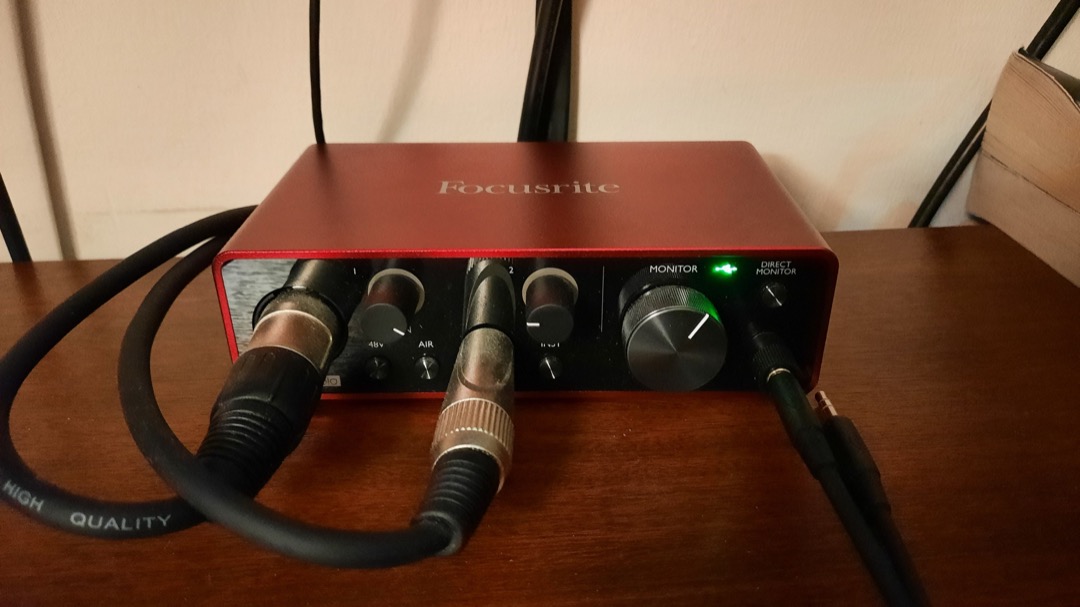
The budget end of the audio interface market is where the specification sheets stop being helpful. Every box on this page has a 24-bit converter that is perfectly competent, a preamp that will not embarrass itself, and a marketing page listing the same four features in the same order. Read them side by side and you would conclude they are interchangeable. They are not, and the two things that actually separate them are the two things almost nobody puts in a comparison table.
Those two are loopback and preamp gain in decibels. Loopback decides whether your computer’s own audio can be recorded alongside your microphone, which is the entire job if you stream or record a remote guest, and almost nothing at this level has it. Preamp gain decides whether the microphone you already own will sit at a usable level or arrive thin and hissy, and the figures across this page range from the high forties to sixty-nine. Get either of those wrong and the interface goes back in the box regardless of how good its converters are.
I spent several years buying gear for other people before I spent much of it on myself, and the pattern at the counter was the same every week. Someone would arrive having read that a particular interface was the best cheap one, buy it, and return a fortnight later because it could not do the one thing their setup actually required. So this is the best budget audio interface guide I would have wanted to hand them: fourteen units for 2026, every one confirmed buyable, sorted by what they can and cannot do rather than by a star rating. The ceiling here is deliberate and the core of the list sits well under it, with a real floor at the bottom of the market. If money is not your binding constraint, our best audio interfaces guide covers the tier above this one and leads with a different pick entirely.
Find the Best Budget Audio Interface for Your Need
Jump straight to the section that matches what you are recording:
- Best budget audio interfaces overall
- Best budget audio interface for guitar
- Best budget audio interface for PC and Windows
- Best budget audio interface for streaming
- Best budget audio interface for podcasting
- Best budget audio interface for a home studio
- Best budget audio interface for Mac
- Cheapest audio interface worth buying
- More budget picks by use case
How I Chose These Budget Audio Interfaces
I should be precise about what this is. I have not put fourteen interfaces on a bench with an audio analyser and measured round-trip latency to a tenth of a millisecond, and any page at this level telling you it did is asking for a great deal of trust. What I have is a decade of buying-desk experience with most of these product lines, hands-on time with several of them in real sessions, and a systematic read of what owners report once a unit has been in daily use for a year or more. At the budget end that last part matters more than it does higher up, because these are products where the failure modes are behavioural rather than sonic.
Four criteria did most of the sorting, and the first two are the ones competitors skip. Loopback came first, checked per platform rather than as a yes or no, because a Windows-only implementation is worthless to half the people who need the feature and the marketing never says so plainly. Preamp gain came second, in decibels, checked against the specific case that trips people up: a low-output broadcast dynamic microphone that needs somewhere around sixty decibels of clean gain and will sound thin on anything that provides less.
Third was driver behaviour, assessed separately for macOS and Windows, because a class-compliant interface that needs no driver at all on a Mac is a very different proposition from the same box leaning on a manufacturer ASIO driver on a PC. Fourth was the honest ceiling of each unit: bit depth, input count, phantom power, the things that cannot be added later. Every ASIN here was verified live on Amazon with a working buy box before publication, and several otherwise excellent candidates were left out because they were on backorder, out of stock, or only available as inflated bundles. I have named those at the end of the buying guidance rather than pretending they were never considered.
Best Budget Audio Interfaces Overall
These fourteen interfaces cover everything from a pocket recorder to a four-preamp box that will take a drum kit. Each is reviewed once in detail below. Farther down, use-case sections pull two or three together so you can compare and decide quickly for the way you actually record.
Best Overall: Behringer UMC202HD
The UMC202HD is the answer to the question this page asks, and the reason is a piece of corporate history rather than a specification. Behringer owns Midas, a console brand whose desks sit in professional front-of-house racks, and the preamps in this box come from that lineage rather than from a generic op-amp reference design. That is not marketing decoration. It shows up as a lower noise floor than anything else at this level, which is precisely the thing you cannot fix later and the thing budget interfaces are usually worst at.
Around that sit two independent combo inputs where most units at this price give you one, which is the difference between recording a singer and a guitar in one pass and recording them twice and hoping the timing lines up. MIDI in and out are on the back, which is genuinely rare below the mid tier and quietly turns this into the hub for a small synth or drum machine setup rather than just a microphone box. It records at 24-bit and 192kHz with 110dB of quoted dynamic range, so there is real headroom for editing rather than the hard 16-bit wall the cheapest units on this page run into.
The honest limits are two. There is no loopback of any kind, which is a hard disqualification for streaming and the reason this pick is framed as best for people who are recording rather than broadcasting. And the Windows first install draws the most consistent complaints in owner reports, needing a retry or a reboot more often than the USB-C field does. The chassis is solid metal while the knobs feel loose in the hand, which is the one place the price shows through. None of that changes the core judgement: for preamp quality per pound, nothing else on this page comes close.

Behringer UMC202HD Audiophile 2x2, 24-Bit/192 kHz USB Audio Interface with Midas Mic Preamplifiers
by Behringer
The strongest preamp pedigree per pound on this page, with two real inputs and MIDI, and the one I would hand to someone who is recording rather than streaming.
Pros
- The Midas preamps are not a marketing sticker: Behringer owns Midas, a console brand whose desks sit in professional front-of-house racks, and the circuit lineage shows up as a noticeably lower noise floor than anything else in this tier
- Two independent combo inputs where most interfaces at this level give you one, which is the difference between recording a singer and a guitar in a single pass and recording them twice
- MIDI in and out are included, which is genuinely rare below the mid tier and quietly turns this into the hub for a small synth or drum machine setup
- It quotes 110dB of dynamic range at 24-bit/192kHz, so the headroom is there for editing rather than the 16-bit ceiling that limits the cheapest boxes on this page
Cons
- There is no loopback of any kind, which is a hard disqualification if you stream and need game or call audio to land in the same recording as your microphone
- Windows first-install is the recurring complaint in owner reports, with the driver needing a retry or a reboot more often than the USB-C field does
- The chassis is solid metal but the knobs feel loose in the hand, and that mismatch is the one place the price shows
Best Budget: Mackie Onyx Artist 1-2
There is a line at the bottom of this market that I would not go below, and the Onyx Artist sits exactly on it. Below this point interfaces start dropping either the converter resolution or the phantom power, and both of those are limitations you cannot buy your way out of afterwards. The Mackie keeps both: a full 24-bit converter running to 192kHz and real 48V phantom power, which means a condenser microphone works the day it arrives rather than after a second order.
The preamp is the same Onyx family Mackie has been putting in its mixers for years, and the recurring theme in owner reports is a quieter noise floor than people expected at this level. The layout deserves credit too. One knob per function, nothing hidden behind a software control panel, and a hardware direct monitoring path so you hear yourself in time while you track rather than through a buffer that arrives late enough to throw your timing. That is exactly the interface a first-time buyer can operate correctly without reading anything, which is worth more at this end of the market than any specification advantage.
What you give up is scale and gain. One input means a co-host, a stereo pair or singing while playing in a single pass are all permanently out of reach, and there is no upgrade path within the unit. More importantly, the gain runs out on a low-output dynamic microphone, so if a Shure SM7B is anywhere in your plan this is the wrong end of the page and the Focusrite is the one to read. Several owners also describe the Windows driver install as clunky, needing a manual download rather than working class compliant on first plug-in.

Mackie Audio Interface, Onyx Artist 1X2 USB Audio Interface (Onyx Artist 1-2)
by Mackie
The least you can spend here and still get a full-resolution converter, phantom power and a preamp with a real pedigree behind it, which is the line I would not go below.
Pros
- It runs at 24-bit/192kHz and supplies real 48V phantom power at a tier where several rivals stop at 16-bit or omit phantom entirely, so a condenser microphone works on arrival rather than after a second purchase
- The Onyx preamp is the same family Mackie puts in its mixers, and owners consistently describe a quieter noise floor than they expected from a box at this level
- One knob per function and nothing hidden in software, which is exactly the layout a first-time buyer can operate correctly without reading anything
- Zero-latency direct monitoring is a hardware path, so you hear yourself in time while tracking rather than through a buffer that arrives late enough to put you off your timing
Cons
- One input only, so a co-host, a stereo pair or singing while playing in one pass are all permanently out of reach
- Gain runs out on a low-output dynamic microphone, and if a Shure SM7B is in your plan this is the wrong end of the page
- Several owners describe the Windows driver install as clunky, needing a manual download rather than working class compliant out of the box
Best Upgrade: MOTU M2
The M2 is the only interface on this page that genuinely sounds like it belongs a tier above, and the reason is the converter. MOTU uses the ESS Sabre32 DAC, the same converter family found in high-end listening equipment, and it gives this box the strongest sound-quality reputation in its bracket by a clear margin. At this level converter differences are usually a rounding error, and this is the one case where they are not.
The two features around it are what make it the upgrade pick rather than just the nice-sounding one. Its loopback works identically on macOS and Windows, which matters on a page where several interfaces, the entire Focusrite line among them, have none at all. And the full-colour LCD peak meters show input and output levels at a glance, which nothing else here offers. Every other interface on this page asks you to infer your recording level from a single clip LED, and if you have ever discovered a distorted take after the fact you know exactly what that costs. Around 60dB of preamp gain covers most dynamic microphones with headroom to spare.
The compromises are budgetary rather than technical. It sits at the very top of this page’s ceiling, so there is nothing left over for a microphone, a stand or headphones, and for a first-time buyer starting from nothing that is a real argument against it. There is no MIDI in or out, which is a genuine gap at this money when the Arturia unit beside it includes both. And the review base is smaller than the Focusrite and Behringer units, so there is less public history to read before committing.

Motu M2 2x2 USB-C Audio Interface with XLR-XLR Cable Bundle
by MOTU
The one interface here that sounds like it belongs a tier above, with loopback that works identically on a Mac and a PC.
Pros
- The ESS Sabre32 DAC is the same converter family used in high-end listening equipment, and it gives the M2 the strongest sound-quality reputation of anything in this price bracket by a clear margin
- Loopback works on macOS and Windows alike, which matters because several interfaces on this page have none at all, the whole Focusrite line included
- The full-colour LCD peak meters show both input and output levels at a glance, and nothing else here gives you that: every other interface asks you to infer your level from a clip LED
- Around 60dB of preamp gain covers most dynamic microphones with headroom left over, so it does not run out of range the way the entry units do
Cons
- It sits at the very top of this page's ceiling, so there is no headroom left in the budget for a microphone, a stand or headphones
- There is no MIDI in or out, which is a real gap at this money when the Arturia unit beside it includes both
- The review base is smaller than the Focusrite and Behringer units here, so there is less public history to check before you buy
Best for Low-Output Dynamic Microphones: Focusrite Scarlett Solo 4th Gen
Sixty-nine decibels. That number is the entire reason the Scarlett Solo is on this page, and it is the highest single gain figure of any mainstream budget interface. What it buys you is the ability to drive a Shure SM7B, an Electro-Voice RE20 or another low-output broadcast dynamic to a healthy recording level without an inline gain booster. Those boosters cost a meaningful fraction of what an interface at this level costs, and discovering you need one after buying is the single most expensive surprise in budget recording. If you already own a hungry dynamic microphone, read this section first and the rest of the page second.
The second reason it earns its place is Easy Start, which walks a first-time buyer from unboxing to a recorded take without any driver hunting. That sounds like a small thing until you have watched someone give up on recording because they could not work out why their microphone was silent. Air mode is the third piece, a genuine presence lift derived from Focusrite ISA console circuitry rather than a treble knob, and on a dull dynamic microphone the difference is audible immediately. The review base is both large and mature, which means every quirk of this specific unit is already documented publicly.
The gap is loopback, and it is a real one. Nothing in the 4th-generation Scarlett line has it, which puts this unit at a genuine disadvantage against the MOTU, Arturia and SSL boxes at comparable money, and it is the most common surprise buyers at this level run into precisely because the Scarlett is the default recommendation everywhere else. There is also one input with no route to a second person, and it is sold through a third-party merchant rather than Amazon directly, so dispatch and returns are less predictable.

Focusrite Scarlett Solo 4th Gen USB-C Audio Interface
by Focusrite
The most gain on this page and the gentlest first setup in the category, undone only by the complete absence of loopback in the 4th-generation line.
Pros
- 69dB of preamp gain is the highest single figure of any mainstream budget interface, and it is enough to drive a Shure SM7B or another low-output broadcast dynamic without an inline booster, which is the single most expensive surprise in budget recording
- Easy Start walks a first-time buyer from unboxing to a recorded take with no driver hunting, and it is the least intimidating setup process in the category by some distance
- The review base is both large and mature, which means every quirk of this specific unit is already documented publicly by someone who hit it first
- Air mode adds a genuine presence lift derived from Focusrite ISA console circuitry, and on a dull dynamic microphone it is the difference between a flat take and a usable one
Cons
- There is no loopback anywhere in the 4th-generation Scarlett line, which is a real capability gap against the MOTU, Arturia and SSL units at similar money
- One input, so there is no route to a second person or a stereo pair without replacing the interface entirely
- It is sold through a third-party merchant rather than Amazon directly, so dispatch and returns are less predictable than a first-party listing
Best for Two-Mic Streaming and Podcasting: Audient EVO 4
This slot belonged to the PreSonus Studio 24c until it left Amazon in September 2026, and the EVO 4 is a better answer to the same question. The question is what a two-person stream or a podcast with a remote guest actually needs: two microphone preamps, plus loopback so the computer’s own audio lands in the same recording. The Studio 24c offered loopback on Windows only. The EVO 4 offers it on macOS and Windows alike through Audient’s EVO Control app, so the recommendation no longer depends on which computer you own.
Smartgain is what makes it a good first interface rather than merely a capable one. Press the button, speak or play at performance level for a few seconds, and the interface sets each input’s gain itself. Setting gain badly is the most common way a first recording goes wrong, either too quiet and hissy once it is lifted or clipped beyond repair, and this takes the guesswork out. The JFET instrument input is modelled on a valve amplifier’s input stage, so a guitar plugged in directly gets a better foundation for amp simulation than a generic Hi-Z jack provides. With well over a thousand owner ratings, its behaviour on both platforms is also well documented.
The limits are gain and resolution. 58dB covers most dynamic and condenser microphones, but a Shure SM7B wants around 60dB of clean gain, so if one is in your plan the Focusrite Scarlett Solo is the better buy, or budget for an inline booster. It records at up to 24-bit/96kHz rather than the 192kHz most units here quote, which makes no audible difference for speech or a stream. And there is no MIDI, so a controller keyboard needs its own USB port.

Audient EVO 4 USB Audio Interface
by Audient
Two preamps that set their own levels and loopback on both platforms, the most straightforward two-person streaming and podcasting box on this page.
Pros
- Two microphone preamps plus loopback on macOS and Windows alike, through Audient's EVO Control app, which makes it the two-person answer for anyone streaming or recording a remote guest
- Smartgain listens to each input for a few seconds and sets the level itself, which removes the most common first-session mistake: a take recorded far too quiet or clipped beyond repair
- A JFET instrument input modelled on a valve amplifier's input stage gives a guitar plugged in directly a better foundation for amp simulation than a generic Hi-Z jack
- Its review base is one of the larger ones among the loopback interfaces here, so its behaviour on both platforms is well documented by owners
Cons
- 58dB of gain is short of the 60dB or so a Shure SM7B wants, so a low-output broadcast dynamic needs an inline booster or the Focusrite instead
- It stops at 24-bit/96kHz rather than the 192kHz most units here quote, which makes no audible difference for speech but shows on a spec sheet
- There is no MIDI in or out, so a synth or a controller keyboard needs its own USB port, unlike the Arturia units
Best for Guitar: IK Multimedia AXE I/O One
Almost every interface here was designed by people thinking about microphones. The AXE I/O One was designed by people thinking about pickups, and if you record guitar directly that is a meaningful difference rather than a marketing angle. Its Z-TONE circuit is a JFET input stage that reacts to a pickup the way a real amplifier input does, rather than presenting the one compromise impedance a generic instrument jack offers. On a passive guitar the effect is not subtle: the top end opens up and the pickup sounds like itself rather than merely present.
The dedicated amp output is the other reason it exists here. It sends a recorded dry take back out to a real cabinet so you can re-record the amplifier later, which is a proper studio technique and one no other interface on this page supports at all. Combined with the included AmpliTube 5 and TONEX SE, it covers both approaches: model the amp in software now, commit to a real one later, or do both and compare. If you are assembling the rest of that chain, our best beginner electric guitars and best guitar amps guides cover what usually sits either side of it.
The limits follow from the design. One combo input, so it is a solo tracking interface and will never record two sources at once. Everything distinctive about it is guitar-specific, so a podcaster is paying for circuitry that will never be engaged. And it has the smallest review base of the guitar-capable picks here, though nothing in what exists is alarming. It is sold directly by IK Multimedia rather than a reseller, which makes warranty and support straightforward.

IK Multimedia AXE I/O One - Professional USB Audio Interface with Z-TONE advanced guitar tone shaping, AmpliTube and TONEX software included
by IK Multimedia
The only interface here designed by people thinking about pickups rather than microphones, and the only one that will send a finished take back out to a real cab.
Pros
- The Z-TONE JFET input stage reacts to a pickup the way a real amplifier input does rather than presenting the one compromise impedance a generic instrument jack offers, and on a passive guitar the top end opens up audibly
- A dedicated amp output sends a recorded dry take back out to a real cabinet for reamping, which is a proper studio technique and one no other interface on this page supports
- AmpliTube 5 and TONEX SE are included, so the amp modelling half of a guitar recording rig is solved before you buy anything else
- It is sold directly by IK Multimedia rather than through a reseller, which makes warranty and support straightforward
Cons
- One combo input, so it is a solo tracking interface and will never record two sources at once
- It has the smallest review base of the guitar-capable picks here, so there is less public history to check than on the Focusrite or Behringer units
- AmpliTube has a real learning curve, and the included software is only an advantage once you have spent an evening inside it
Best Feature Density: Arturia MiniFuse 2
If you asked me which interface on this page gives you the most capability per unit of outlay, the answer is the MiniFuse 2 and it is not close. Loopback, MIDI in and out, two inputs and a three-port USB hub, all in a bus-powered aluminium box that fits on a corner of a desk. Nothing else here attempts that combination at any price, and it is the reason a producer who also streams should look at this before anything else.
It also carries the strongest rating and review-volume pairing on this page, which is the combination that actually indicates a product behaves. A high score on a thin sample tells you very little; a high score across a large sample tells you the failure modes are rare rather than undiscovered. The RGB halo rings around the gain knobs deserve a mention too, because they change colour as you approach clipping and function as a real level indicator rather than decoration, which partly closes the gap to the MOTU’s LCD meters. The software bundle is the largest here, covering synthesis, effects and a DAW.
The one specification that will decide against it is gain. The ceiling is lower than the Focusrite Solo or the SSL, and the moment a hungry broadcast dynamic microphone enters the plan that becomes the deciding factor rather than a footnote. It is also sold by a third-party merchant rather than Arturia or Amazon directly, so dispatch is less predictable, and the USB hub function means it wants to sit at the centre of your desk with cables running into it rather than tucked away.

Arturia MiniFuse USB Audio & MIDI Interface, MiniFuse 2
by Arturia
The most capable feature set on this page for a producer who streams, held back only by a gain ceiling that a broadcast dynamic microphone will find.
Pros
- It carries the strongest combination of rating and review volume on this page, which is the pairing that actually indicates a product behaves rather than a high score on a thin sample
- Loopback, MIDI in and out, two inputs and a three-port USB hub in one bus-powered box is a density of features nothing else here matches at any price
- The RGB halo rings around the gain knobs change colour as you approach clipping, which is a genuinely useful level indicator rather than decoration
- The bundled software is the largest on this page, covering synthesis, effects and a DAW, so a producer has a working chain the same evening
Cons
- The gain ceiling is lower than the Focusrite Solo or the SSL, which becomes the deciding factor the moment a hungry dynamic microphone is in the plan
- It is sold by a third-party merchant rather than Arturia or Amazon directly, so dispatch is less predictable
- The USB hub function means it wants to sit at the centre of your desk with cables running into it, which is more setup footprint than a plain interface
Best Single-Input Interface with Loopback: Arturia MiniFuse 1
The MiniFuse 1 exists for a specific person: someone who streams or records desktop audio, works alone with one microphone, and cannot spend at the top of this page. It is the least expensive of the five interfaces here that offer real loopback, and for that buyer the decision is essentially made before any other specification is read, because the four alternatives with loopback all cost more.
What surprises people is how little else was cut to hit that position. MIDI in and out are present, the three-port USB hub is the same one its two-input sibling carries, and the software bundle is identical rather than reduced. The aluminium body feels a tier above what it costs, which matters more than it sounds: entry interfaces are usually plastic, and plastic is what starts creaking when a cable gets pulled. Getting a metal chassis, loopback and MIDI in one unit at this level is a combination that did not exist a few years ago.
The constraints are the ones a single input implies. A co-host or a stereo pair means moving up to the MiniFuse 2 rather than adding anything, so buy the two-input version now if there is any chance of a second person. The gain ceiling is tighter than the Focusrite Solo, so a low-output dynamic will run it out of range. And a handful of owners report intermittent driver dropouts on older Windows builds, which is worth weighing if your machine is a few years old.

Arturia MiniFuse USB Audio & MIDI Interface, MiniFuse 1
by Arturia
The cheapest honest route to real loopback here, with MIDI and a USB hub thrown in, and the pick for a solo streamer who records as well.
Pros
- It is the least expensive of the five interfaces here that offer real loopback, which makes it the natural entry point for anyone who streams and cannot spend at the top of this page
- Loopback, MIDI in and out, and a three-port USB hub in a single-input box is a density of capability nothing else at this level attempts
- The aluminium body feels a tier above what it costs, and the two years I would expect from a plastic entry unit is not the question here
- The software bundle is the same large one that ships with its two-input sibling, so nothing is cut on that side
Cons
- One input, so a co-host or a stereo pair means moving up to the MiniFuse 2 rather than adding anything
- The gain ceiling is tighter than the Focusrite Solo, so a low-output dynamic microphone will run it out of range
- A handful of owners report intermittent driver dropouts on older Windows builds, which is worth knowing if your machine is a few years old
Best for Four Channels: Behringer UMC404HD
Once you need more than two microphones, this page narrows to one product. The UMC404HD puts four genuine microphone preamps in a box that costs what many two-input interfaces do, and there is nothing else operating at that ratio. The crucial detail is that 48V phantom power is switchable across all four channels rather than shared or limited to a pair, and that is what makes a drum kit with condenser overheads or a four-person panel discussion possible rather than theoretical.
The preamps are the same Midas lineage as the two-channel UMC202HD, which matters because the obvious way to build a cheap four-input interface is to use cheaper preamps and hope nobody notices. Behringer did not do that here. MIDI in and out are included as well, so a synth or a controller keyboard joins the setup without another box. For anyone recording a kit, our best electronic drum sets guide covers the alternative approach if miking an acoustic kit is more room than you have.
The trade-offs are physical and functional. There is no loopback, so a streamer needs to look at the MOTU or Arturia units instead regardless of how many inputs they want. It is noticeably bulkier than the two-channel options and wants real desk space rather than a corner of one. And USB-B on a modern laptop needs an adapter, which is one more small thing to lose in a bag.

Behringer U-PHORIA UMC404HD Audiophile 4x4, 24-Bit/192 kHz USB Audio/MIDI Interface with Midas Mic Preamplifiers
by Behringer
Four real preamps with phantom power on every channel at two-channel money, and the only sensible route here to recording a kit or a panel properly.
Pros
- Four genuine microphone preamps for what two-input interfaces cost elsewhere, which is the entire reason this unit exists and there is nothing else doing it at this level
- 48V phantom power is switchable across all four channels, and that is what makes a drum kit with condenser overheads or a four-person panel possible rather than theoretical
- The Midas preamp lineage is the same as the two-channel UMC202HD, so the extra channels are not cheaper ones
- MIDI in and out are included, so a synth or a controller keyboard joins the setup without another box
Cons
- No loopback, so a streamer needs to look at the MOTU or Arturia units instead no matter how many inputs they want
- It is noticeably bulkier than the two-channel options and wants real desk space rather than a corner
- USB-B on a modern laptop needs an adapter, which is one more thing to lose
Best for Analogue Character: Universal Audio Volt 1
Most character features at this level are software. Vintage Mode on the Volt 1 is not. It is an actual analogue circuit inside the hardware, modelled on the tube preamp lineage Universal Audio built its reputation on, and it is engaged with a switch on the front panel rather than a plugin loaded after the fact. On a thin voice or a dull dynamic microphone the difference is the thickening people otherwise spend an hour chasing in the mix, and it is printed into the recording rather than applied to it.
The rest of the box is quietly strong. 55dB of gain covers most dynamic microphones with headroom left, which is more than the Arturia units manage and enough for the substantial majority of buyers. The quoted 112dB of dynamic range is at the top of what this tier delivers. And there is real pedigree behind it: this is the company that makes the Apollo interfaces professional studios buy, and the gain structure and converter design here are recognisably descended from that work rather than assembled from a reference design.
Three things to weigh before buying. There is no loopback, which rules it out for streaming entirely. There is one input, so a second voice means a second interface. And the buy box is currently held by Amazon Resale rather than Universal Audio, which means stock and dispatch are less predictable than a first-party listing and the item condition is worth checking at checkout rather than assuming.

Universal Audio Volt 1 USB Audio Interface
by Universal Audio
The only interface at this level with a real analogue colour circuit rather than a software emulation, and the pick if character at the input stage is what you want.
Pros
- Vintage Mode is an actual analogue circuit in the hardware modelled on the 1176 and 610 tube preamp lineage, not a plugin applied afterwards, and on a thin voice it adds the thickening people otherwise chase in the mix
- 55dB of gain covers most dynamic microphones with headroom left, which is more than the Arturia units manage and enough for the majority of buyers
- Universal Audio is the company behind the Apollo line, and the gain structure and converter design here carry that pedigree down into an affordable box
- It quotes 112dB of dynamic range, which is at the top of what this tier delivers and gives real headroom for editing
Cons
- No loopback, so it is the wrong purchase for anyone streaming game or call audio alongside a microphone
- One input, so a second voice means a second interface
- The buy box is currently held by Amazon Resale rather than Universal Audio, so stock and dispatch are less predictable than a first-party listing and condition is worth checking at checkout
Best for Phones and Tablets: Rode AI-Micro
The AI-Micro is not really an audio interface in the sense the rest of this page uses the word, and buying it correctly depends on understanding that. It is a pocket-sized adapter that turns a phone or a tablet into a recorder, and in that role it is the best thing here by a wide margin. Native USB-C to Lightning support means it was built for an iPhone or an iPad first rather than adapted to one afterwards, which is genuinely rare in a market where iOS compatibility is usually a hopeful claim on a box.
It needs no drivers on any platform, so it works the moment it is plugged into a Mac, a PC, an Android phone or a tablet. The 3.5mm input alongside the combo socket takes a lavalier microphone directly, which makes it a real two-source recorder for interviews and video work rather than a single-channel dongle. For anyone shooting video who needs clean audio without carrying a bag, it occupies a category nothing else on this page competes in.
The two limitations are severe and both are easy to miss on the product page. There is no manual gain control at all, only automatic gain, which is a genuine frustration for considered tracking even though it works well for dialogue. And it supplies no phantom power whatsoever, so most XLR condenser microphones will simply not work with it, which is the sort of thing you find out with a microphone in your hand and nothing in your headphones. The housing is thin plastic and feels like a travel accessory, which is what it is.

Rode AI-Micro USB Audio Interface,Black
by Rode
A mobile recording accessory rather than a studio interface, and the best one here for getting a lavalier or a dynamic microphone into a phone.
Pros
- It is genuinely pocket-sized, small enough to live permanently in a bag rather than on a desk, which is a category nothing else on this page occupies
- Native USB-C to Lightning support means it is built for an iPhone or iPad first rather than adapted to one, and that is rare in a market where iOS compatibility is usually a hopeful claim
- It needs no drivers on any platform, so it works the moment it is plugged into a Mac, a PC, an Android phone or a tablet
- The 3.5mm input takes a lavalier microphone directly, which makes it a genuine two-source recorder for interviews and video work
Cons
- There is no manual gain control at all, only automatic gain, which is a real frustration for anyone doing considered tracking rather than capturing dialogue
- It supplies no phantom power, so most XLR condenser microphones simply will not work with it and that limitation is easy to miss before buying
- The housing is thin plastic and feels like a travel accessory rather than studio equipment
Best-Documented at the Bottom of the Market: Behringer UMC22
Twelve thousand seven hundred and fifty-six owner ratings. That figure is by an enormous margin the largest evidence base on this page, and at the bottom of the market it is worth more than any specification, because it means every quirk and every failure mode has already been described in public by somebody who hit it first. On cheap gear that is the most valuable thing you can have, and it is why this unit is here rather than one of the dozens of unbranded boxes selling for similar money.
It also carries the same Midas mic preamp name as the more capable UMC202HD, so the preamp is not the corner that was cut, and owners report unusually solid Windows driver behaviour for this tier, which is the opposite of what most interfaces at this level are known for. A separate instrument input sits alongside the combo XLR, so a guitar and a microphone both have a home even though only one records at a time.
Now the honest part, and this is where a budget page earns its keep. The UMC22 stops at 16-bit and 48kHz, and that is a hard ceiling rather than a setting you can change. The Mackie Onyx Artist a few dollars further up the page has a full 24-bit converter running to 192kHz and a better preamp, and if you can stretch that small distance you should. I am not going to pretend otherwise to make a cheap pick look better than it is. Buy the UMC22 if the budget genuinely stops here or if you want the most publicly documented cheap interface in existence, and buy the Mackie if it does not.

Behringer UMC22 Audiophile 2x2, 48 kHz USB Audio Interface with Midas Mic Preamplifier
by Behringer
The most thoroughly documented interface on this page and a real Midas preamp at the bottom of the market, sold at the cost of a permanent 16-bit ceiling.
Pros
- With 12,756 owner ratings it has by an enormous margin the largest evidence base on this page, and at the bottom of the market that public history is worth more than any specification because every failure mode is already documented
- It carries the same Midas mic preamp name as the more capable UMC202HD, so the preamp is not the corner that was cut
- Owners report unusually solid Windows driver behaviour for this tier, which is the opposite of what most interfaces at this level are known for
- A separate instrument input sits alongside the combo XLR, so a guitar and a microphone both have a home even though only one records at a time
Cons
- 16-bit at 48kHz is a hard ceiling with no route around it, which means no high-resolution recording and less headroom when you edit than anything else here
- One microphone preamp, so a second voice is never an option
- The plastic construction feels exactly like what the bottom of the market buys, and the knobs confirm it
Best-Known Name at the Bottom of the Market: M-Audio M-Track Solo
The M-Track Solo is the other heavily documented entry unit here, second only to the UMC22 for owner evidence, and it makes a slightly different set of trades. The most important one is that it includes 48V phantom power, which several units around it at this level skip entirely, so a condenser microphone is genuinely on the table rather than something to plan for later. That single feature is why it is still worth listing alongside the Behringer.
It is driverless on macOS, which means it works the moment it is plugged in and keeps working across operating system updates without waiting on a manufacturer, and that is a real advantage on a Mac at this level. The software bundle leans towards beat-driven production, with MPC Beats alongside Ableton Live Lite, which suits a very different workflow from the linear DAWs most of this field ships and is a better starting point if you are making beats rather than recording performances.
The limits are the same tier limits. The 16-bit ceiling is identical to the UMC22 and is the one specification here that genuinely constrains what you can do later. Gain runs out quickly on a quiet dynamic microphone, so the microphone you own should decide whether this is viable before anything else does. And one knob serves both gain and monitor blend, which first-time users regularly misread, adjusting the wrong thing and concluding the interface is faulty.

M-AUDIO M-Track Solo USB Audio Interface
by M-Audio
The other heavily documented entry unit, with phantom power and a beat-oriented software bundle, and the same 16-bit ceiling to accept.
Pros
- With 7,722 ratings it is second only to the UMC22 for owner evidence on this page, so its behaviour is about as well documented as an entry interface gets
- 48V phantom power is included, which several units around it at this level skip entirely, so a condenser microphone is on the table
- It is driverless on macOS, which means it works the moment it is plugged in and keeps working across operating system updates without waiting on a manufacturer
- MPC Beats plus Ableton Live Lite is a better software fit for beat-driven production than the linear DAWs bundled with most of this field
Cons
- The 16-bit ceiling is the same limitation the UMC22 carries, and it is the one specification here that genuinely constrains what you can do later
- Gain runs out quickly on a quiet dynamic microphone, so the microphone you own should decide whether this is viable
- One knob serves both gain and monitor blend, and first-time users regularly misread which function they are adjusting
Best Above the Ceiling: Solid State Logic SSL 2 MKII
I want to be straight about why this is here. The SSL 2 MKII sits above the ceiling this page uses, so buying it is a deliberate overspend rather than a budget decision, and if your budget is genuinely fixed you should stop at the MOTU or the MiniFuse 2. It is on the list because it is the unit people step up to from this page more than any other, and knowing what the step buys you is part of choosing well at this level.
What it buys you is gain and pedigree. Solid State Logic consoles are the literal industry standard in professional mixing rooms, and this is the closest that lineage comes to an attainable interface. The preamps offer 64dB of gain plus up to 27dB more in LINE mode, which is the most on this page and drives any dynamic microphone comfortably with range to spare. The loopback is true stereo rather than mono-summed, so a stream keeps its left and right image instead of collapsing to the centre, and the 4K button is a real analogue circuit borrowed from the 4000-series console rather than a plugin, adding high-frequency lift and gentle harmonic saturation at the input stage.
Two things stop it being an easy recommendation even for someone who can afford it. It has the smallest review base of the finalists here, so there is limited public history to check. And there is no MIDI in or out at all despite it being the most expensive unit on this page, which is a genuine omission when interfaces costing considerably less include both.

Solid State Logic SSL 2 MKII - 2x2 USB Audio Interface
by Solid State Logic
Console pedigree, the most gain here and true stereo loopback, sold at a level that puts it outside a budget list rather than at the top of one.
Pros
- SSL consoles are the literal industry standard in professional mixing rooms, and this is the closest that lineage gets to an attainable interface
- 64dB of preamp gain plus up to 27dB more in LINE mode is the most gain on this page, and it drives any dynamic microphone comfortably with range to spare
- The loopback is true stereo rather than mono-summed, which means a stream keeps its left and right image instead of collapsing to the centre
- The 4K button is a real analogue circuit borrowed from the 4000-series console, adding high-frequency lift and gentle harmonic saturation at the input rather than in software
Cons
- It sits above the ceiling this page uses, so buying it is a deliberate overspend rather than a budget decision
- It has the smallest review base of the finalists here, so there is limited public history to check
- There is no MIDI in or out despite it being the most expensive unit on this page, which is a genuine omission at this money
Best Budget Audio Interface for Guitar
Recording a guitar directly asks something of an interface that recording a voice does not. A passive pickup is a high-impedance source, and the load an interface presents to it changes how the pickup actually behaves rather than merely how loud it arrives. A generic instrument jack presents one compromise impedance and the guitar sounds slightly flat through it. An input designed around that problem sounds like the instrument. Beyond the input stage, what matters is whether the box includes amp modelling software so you have something to play through, and whether the gain is sufficient if you also want to mike a cabinet.
| Product | Price | Buy |
|---|---|---|
| IK Multimedia AXE I/O One - Professional USB Audio Interface with Z-TONE advanced guitar tone shaping, AmpliTube and TONEX software includedBest budget interface for guitar A Z-TONE JFET input stage that reacts like a real amp input, an amp output for reamping, and AmpliTube 5 plus TONEX SE in the box | $129.99 | View on Amazon |
| Focusrite Scarlett Solo 4th Gen USB-C Audio InterfaceBest for guitar plus a demanding microphone 69dB of gain means the same interface handles a direct guitar and a low-output dynamic on a cabinet without a booster | $159.99 | View on Amazon |
| Arturia MiniFuse USB Audio & MIDI Interface, MiniFuse 1Best for guitar with loopback Loopback and MIDI alongside the instrument input, for a guitarist who also streams or runs backing tracks from the computer | $119.00 | View on Amazon |
Best Budget Audio Interface for PC and Windows
Windows is where budget interfaces separate, and it has nothing to do with sound. Windows has no low-latency audio path of its own worth using, so every interface depends on a manufacturer-supplied ASIO driver, and the quality and maintenance of that driver determine the buffer size you can hold without crackling. It also determines whether the thing installs cleanly the first time. Loopback is the second consideration, and on Windows it runs through each manufacturer’s own control software, so the same rule applies: buy from a company that still updates it.
| Product | Price | Buy |
|---|---|---|
| Behringer UMC202HD Audiophile 2x2, 24-Bit/192 kHz USB Audio Interface with Midas Mic PreamplifiersBest budget PC interface for recording Two Midas preamps and MIDI with a well-established Windows driver, though the first install can need a retry | $86.90 | View on Amazon |
| Audient EVO 4 USB Audio InterfaceBest Windows interface with loopback Two preamps and loopback through Audient's EVO Control app, with Smartgain setting both input levels automatically | $150.00 | View on Amazon |
| Motu M2 2x2 USB-C Audio Interface with XLR-XLR Cable BundleBest Windows interface for sound quality ESS Sabre32 converters plus loopback that behaves identically on Windows and macOS, with LCD metering to set levels by eye | $199.95 | View on Amazon |
Best Budget Audio Interface for Streaming
Streaming has one requirement that recording does not, and it is loopback. Your microphone, your game or desktop audio, and anyone on a call all have to reach the stream correctly in real time, and without hardware loopback you are stitching that together with virtual audio cables that break at the worst possible moment. Resolution is irrelevant here and latency matters more than either. The second consideration is inputs: a solo stream needs one microphone preamp, a co-hosted one needs two, and only some of the loopback interfaces here have two.
| Product | Price | Buy |
|---|---|---|
| Motu M2 2x2 USB-C Audio Interface with XLR-XLR Cable BundleBest budget streaming interface overall Cross-platform loopback that works the same on Windows and macOS, plus LCD meters so you can see a level mid-stream | $199.95 | View on Amazon |
| Arturia MiniFuse USB Audio & MIDI Interface, MiniFuse 2Best streaming interface for a producer Loopback, MIDI, two inputs and a three-port USB hub, so the interface doubles as the centre of the desk | $199.00 | View on Amazon |
| Audient EVO 4 USB Audio InterfaceBest two-mic streaming interface Two preamps that set their own levels with Smartgain, plus loopback on Windows and macOS, for a co-hosted stream | $150.00 | View on Amazon |
Best Budget Audio Interface for Podcasting
Podcasting asks for a channel per voice and very little else. Resolution above 48kHz is meaningless for speech, converter quality barely registers, and the specifications that matter are input count, clean gain and whether you can mute somebody without touching a mouse. The one genuine complication is remote guests: if someone joins on a call and both sides have to land in one recording, you need loopback, and if everyone is in the room you do not. Decide that first, because it eliminates most of this page in one direction or the other. If you are buying microphones at the same time, our best podcast microphones guide covers the other half.
| Product | Price | Buy |
|---|---|---|
| Audient EVO 4 USB Audio InterfaceBest podcasting interface for remote guests Two preamps plus loopback on Windows and macOS, so a remote guest and two in-room microphones land in one recording, with Smartgain setting both levels | $150.00 | View on Amazon |
| Behringer U-PHORIA UMC404HD Audiophile 4x4, 24-Bit/192 kHz USB Audio/MIDI Interface with Midas Mic PreamplifiersBest for a panel or four hosts Four preamps with phantom power on every channel, the only unit here that handles a four-person table properly | $139.00 | View on Amazon |
| Behringer UMC202HD Audiophile 2x2, 24-Bit/192 kHz USB Audio Interface with Midas Mic PreamplifiersBest two-host podcasting interface Two Midas preamps and MIDI for two people in one room, with a lower noise floor than anything else at this level | $86.90 | View on Amazon |
Best Budget Audio Interface for a Home Studio
A home studio at this budget is defined by what else is in the room. If it is you, a microphone and a guitar, two inputs is genuinely plenty and the money is better spent on the microphone and on something soft behind you. If a synth or a drum machine is permanently wired in, MIDI stops being a bonus and starts saving you a repatch every session. And if you intend to mix on the same interface you record on, converter quality starts to matter in a way it does not for tracking alone, because you are making decisions based on what you hear coming out.
| Product | Price | Buy |
|---|---|---|
| Behringer UMC202HD Audiophile 2x2, 24-Bit/192 kHz USB Audio Interface with Midas Mic PreamplifiersBest home studio interface for the money Two Midas preamps, MIDI and full 24-bit/192kHz recording, the strongest specification per pound on this page | $86.90 | View on Amazon |
| Motu M2 2x2 USB-C Audio Interface with XLR-XLR Cable BundleBest home studio interface for mixing ESS Sabre32 converters and LCD metering make it the one here you can confidently mix on as well as track through | $199.95 | View on Amazon |
| Arturia MiniFuse USB Audio & MIDI Interface, MiniFuse 2Best home studio interface for a producer Loopback, MIDI and a USB hub, so a room with a controller, a synth and a microphone runs from one box | $199.00 | View on Amazon |
Best Budget Audio Interface for Mac
macOS makes this easier in one way and harder in another. Easier, because most interfaces here are class compliant and need no driver at all, which means they work on first plug-in and keep working through operating system updates without waiting on a manufacturer. Harder, because loopback is missing from some of the best-known names and the guides mostly do not say so. To be explicit: nothing in the Focusrite Scarlett 4th-generation line has loopback on any platform. If you need it on a Mac, the MOTU, the two Arturia units, the Audient EVO 4 and the SSL all provide it.
| Product | Price | Buy |
|---|---|---|
| Motu M2 2x2 USB-C Audio Interface with XLR-XLR Cable BundleBest budget Mac interface overall Cross-platform loopback that works fully on macOS, class compliant over USB-C, with the best converters on this page | $199.95 | View on Amazon |
| Arturia MiniFuse USB Audio & MIDI Interface, MiniFuse 2Best Mac interface for features Loopback, MIDI and a USB hub, all working natively on macOS with no companion software required for the core features | $199.00 | View on Amazon |
| Focusrite Scarlett Solo 4th Gen USB-C Audio InterfaceBest Mac interface for a demanding microphone 69dB of gain and Easy Start onboarding, class compliant on macOS, though with no loopback anywhere in the Scarlett line | $159.99 | View on Amazon |
Cheapest Audio Interface Worth Buying
The bottom of this market is where honest advice matters most, because the gap between the cheapest thing that works and the cheapest thing worth owning is small in money and large in consequence. The dividing line is the converter. Two units on this page stop at 16-bit and 48kHz, which is a permanent ceiling rather than a setting, and while that is perfectly workable for dialogue recorded at a consistent level it costs you editing headroom on anything dynamic. A short step above that line buys a full 24-bit converter, real phantom power and a better preamp, and that is the step I would take if it is at all possible.
| Product | Price | Buy |
|---|---|---|
| Mackie Audio Interface, Onyx Artist 1X2 USB Audio Interface (Onyx Artist 1-2)Cheapest interface worth buying The lowest point on this page that still gives you 24-bit/192kHz, real phantom power and a preamp with a genuine pedigree | $64.95 | View on Amazon |
| Behringer UMC22 Audiophile 2x2, 48 kHz USB Audio Interface with Midas Mic PreamplifierBest-documented cheap interface The largest owner evidence base here by a wide margin and a real Midas preamp, at the cost of a permanent 16-bit ceiling | $52.90 | View on Amazon |
| M-AUDIO M-Track Solo USB Audio InterfaceBest cheap interface for beat production Phantom power, driverless operation on macOS and MPC Beats included, with the same 16-bit ceiling to accept | $49.00 | View on Amazon |
More Budget Audio Interface Picks by Use Case
A handful of narrower needs come up often enough to deserve a direct answer, and each of these is the pick for one specific job rather than a general recommendation.
| Product | Price | Buy |
|---|---|---|
| Arturia MiniFuse USB Audio & MIDI Interface, MiniFuse 2Best for music production Loopback, MIDI, two inputs, a USB hub and the largest software bundle here, so a production setup runs from one box | $199.00 | View on Amazon |
| Focusrite Scarlett Solo 4th Gen USB-C Audio InterfaceBest for recording vocals 69dB of gain drives any dynamic microphone without a booster, and Air mode adds presence to a dull one at the source | $159.99 | View on Amazon |
| Behringer U-PHORIA UMC404HD Audiophile 4x4, 24-Bit/192 kHz USB Audio/MIDI Interface with Midas Mic PreamplifiersBest for drums and 4-channel recording Four Midas preamps with switchable phantom power on every channel, enough for a kit with overheads or a four-person panel | $139.00 | View on Amazon |
| Behringer UMC202HD Audiophile 2x2, 24-Bit/192 kHz USB Audio Interface with Midas Mic PreamplifiersBest for a two-channel setup Two Midas preamps, MIDI and full 24-bit/192kHz, the strongest two-channel specification per pound on this page | $86.90 | View on Amazon |
| Arturia MiniFuse USB Audio & MIDI Interface, MiniFuse 1Best with MIDI I/O MIDI in and out alongside loopback in a compact single-input aluminium box, for a small hardware setup | $119.00 | View on Amazon |
| Motu M2 2x2 USB-C Audio Interface with XLR-XLR Cable BundleBest for game streaming and Discord Cross-platform loopback plus LCD metering, so game audio, a Discord call and your microphone all land correctly in real time | $199.95 | View on Amazon |
| Rode AI-Micro USB Audio Interface,BlackBest for iPad and iPhone Native USB-C to Lightning support, a 3.5mm lavalier input and no drivers needed on any platform | $79.00 | View on Amazon |
| Solid State Logic SSL 2 MKII - 2x2 USB Audio InterfaceBest if you can stretch past the ceiling 64dB of gain, true stereo loopback and a real 4K analogue colour circuit, above this page's ceiling by design | $229.99 | View on Amazon |
| M-AUDIO M-Track Solo USB Audio InterfaceBest-known name at the bottom of the market Phantom power, driverless on macOS and MPC Beats in the box, with a 16-bit ceiling and a very large owner history | $49.00 | View on Amazon |
Buyer's Guide
Almost every budget interface on the market has a competent 24-bit converter and a preamp that will not embarrass itself, which is why comparing them on sound alone gets you nowhere. Six things actually separate them once the box is on a desk, and two of those decide most purchases before anything else does.
Loopback, and how few interfaces at this level have it
Loopback routes your computer's own audio back into the interface so it can be recorded or streamed alongside your microphone, and it is the single most common reason someone returns a budget interface. If you stream games, react to video, or record a guest who is on a call, you need it, and no amount of routing software makes up for its absence cleanly. Almost nothing at the bottom of this market has it. On this page five interfaces do: the MOTU M2 has it cross-platform on macOS and Windows, both Arturia MiniFuse units have it, the SSL 2 MKII has it in true stereo rather than mono-summed, and the Audient EVO 4 has it on both platforms through its EVO Control app. The entire Focusrite Scarlett 4th-generation line has none, which catches people out constantly because the Scarlett is the default recommendation everywhere else. If a stream is part of your plan, this specification decides your purchase before any other.
Preamp gain in dB, and the microphone that changes the whole decision
Gain is how much a preamp amplifies a microphone signal, quoted in decibels, and it is the specification that quietly determines whether an interface works with the microphone you own. Popular broadcast dynamics like the Shure SM7B put out a very low signal and want somewhere around 60dB of clean gain to sit at a healthy level. An interface that provides less, or provides it while adding hiss in the last few decibels of the dial, produces a thin recording that people blame on the microphone for months. The figures on this page vary enormously: the Focusrite Scarlett Solo 4th Gen leads at 69dB, the SSL 2 MKII offers 64dB plus more in LINE mode, the MOTU M2 sits around 60dB, the Universal Audio Volt 1 quotes 55dB, and the Arturia MiniFuse units land in the high forties to mid fifties. If a hungry dynamic is in your plan, read that list first and everything else second. If you use a condenser or a modern USB-friendly dynamic, you can ignore the issue entirely.
Phantom power, and the trap at the very bottom of the market
Phantom power is 48 volts sent up the XLR cable to run the electronics inside a condenser microphone, and without it a condenser produces nothing at all. Almost every interface here includes it, which makes the exceptions dangerous rather than obvious. The Rode AI-Micro has an XLR socket and supplies no phantom power whatsoever, so a condenser plugged into it simply does not work, and the product page does not put that anywhere near the top. Cheap unbranded interfaces below this page's floor have the same problem far more often. Dynamic microphones do not need phantom power, so if you own a Shure SM58 or an SM7B this is not a constraint on your choice. If you own or intend to buy any condenser, confirm the interface supplies 48V before anything else, because it is the one missing feature that renders a microphone completely unusable rather than merely compromised.
Bit depth and sample rate ceilings, and who they actually hurt
Most interfaces here record at 24-bit and up to 192kHz. Two do not: the Behringer UMC22 and the M-Audio M-Track Solo both stop at 16-bit and 48kHz, and that is a hard ceiling rather than a setting. The sample rate half of this matters very little, because 48kHz is the professional standard for anything that ends up in video and almost nobody hears a difference above it. Bit depth is the part that matters. 24-bit gives you roughly 48dB more dynamic range to work in, which in practice means you can record conservatively, well below clipping, and lift the level afterwards without dragging up noise with it. At 16-bit you have to set levels much more precisely on the way in and you have less room to fix an edit later. If you record dialogue at a consistent level it will never bother you. If you record dynamic performances or expect to edit heavily, it will, and that is the reason to step up one tier from the very bottom of this page.
USB-C versus USB-B, and bus power on a modern laptop
Every interface on this page is bus powered, meaning it takes everything it needs from the data cable and there is no separate power supply to carry. The connector is where they differ. USB-C units like the MOTU M2, the Arturia MiniFuse pair, the Focusrite Scarlett Solo, the Audient EVO 4, the Universal Audio Volt 1 and the SSL 2 MKII plug straight into a modern laptop and often into a tablet with the right cable. The three Behringer units and the two entry M-Audio and Mackie boxes use the older, chunkier USB-B connector, which means an adapter or a hub on any machine without a full-size port. That is not a performance difference, because USB 2.0 bandwidth is far more than two channels of audio needs, but it is an extra thing to buy and an extra thing to lose. Worth checking too: a tablet supplies far less current than a laptop, so a bus-powered interface that runs happily off a computer can be marginal off an iPad.
Driver stability and the Windows ASIO problem nobody warns you about
On macOS, most interfaces here are class compliant, meaning they need no driver at all and simply appear when plugged in. That is a genuine advantage because they keep working through operating system updates without waiting on the manufacturer. Windows is a different situation and this is where budget interfaces earn their reputation. Windows has no low-latency audio path of its own worth using, so every interface relies on a manufacturer-supplied ASIO driver, and the quality of that driver determines the buffer size you can hold without crackling. It is also where the install friction lives. The Behringer units draw the most owner complaints about a first install needing a retry or a reboot, and a handful of MiniFuse owners report intermittent dropouts on older Windows builds. Focusrite has the cleanest Windows record here. If you are on Windows, check that the manufacturer has released a driver update in the last year before buying, because an abandoned ASIO driver is how an interface becomes unusable after an update.
How to Choose a Budget Audio Interface
Start with two questions and ignore everything else until they are answered. First, does audio playing on your computer need to be recorded alongside your microphone? If yes, you need loopback, and that eliminates most of this page immediately: five units here have it, and four of those five also have two microphone inputs. If no, you have the whole page to choose from and can optimise for something else. Second, what microphone are you using? If it is a low-output broadcast dynamic like a Shure SM7B, gain is your binding constraint and you should read the decibel figures before anything else, because a preamp that runs out will make an excellent microphone sound thin and you will spend months blaming the wrong component. If it is a condenser or a modern USB-friendly dynamic, you can set that concern aside entirely and buy on features.
Then check the ceiling you cannot move later. Bit depth is the one that matters: 24-bit gives you room to record conservatively and lift the level afterwards, 16-bit asks you to get it right on the way in. Input count is the next, because it is the specification people outgrow first and the one that cannot be added. Phantom power is a yes or no that renders a condenser microphone completely unusable if the answer is no, and there is one unit on this page where the answer is no despite it having an XLR socket. None of these three can be fixed with software, a cable or a later purchase, which is why they should be settled before brand preference enters the conversation at all.
Finally, weigh the platform honestly. On macOS, prefer a class-compliant interface that needs no driver at all, because it will keep working across operating system updates without depending on a manufacturer’s release schedule. On Windows, what matters is the ASIO driver and whether it has been updated recently, because an abandoned driver is how a perfectly good interface becomes unusable after a system update. Read owner reports for your specific operating system rather than in general, since the same box can be effortless on one platform and irritating on the other. If your budget stretches beyond the ceiling this page uses, our best audio interfaces guide covers the tier above and explains what the extra money actually buys.
One last piece of honesty about availability, because it shaped this list. A few well-regarded budget interfaces are not on this page for reasons that have nothing to do with quality. The Behringer UM2 is arguably the strongest sub-entry pick on paper and has a genuinely enormous owner history, but it is on real backorder with no delivery estimate. The Native Instruments Komplete Audio 1 and 2 are effectively absent from Amazon in the US at the moment. The Focusrite Scarlett 2i2 4th Gen sits above this page’s ceiling and already leads our general roundup. And the SSL 2 Plus MKII only sells in elaborate bundles far outside a budget conversation. If you find any of those back in stock at a sensible price, they are worth a look, but I will not recommend something you cannot actually buy today. The PreSonus Studio 24c, which held the two-mic streaming slot on this page until September 2026, is gone for the same reason: Amazon no longer sells it.
The Bottom Line
For most people shopping at this level, the Behringer UMC202HD is the right answer. Two Midas preamps with a genuinely lower noise floor than anything else in the tier, two independent inputs where most rivals give one, MIDI in and out, and full 24-bit and 192kHz recording. It is not the prettiest box here and it has no loopback at all, but for the specific job of getting sound into a computer cleanly at the lowest sensible outlay, nothing on this page matches it.
If the budget is the binding constraint, the Mackie Onyx Artist 1-2 is the line I would not go below, because it keeps the 24-bit converter and the phantom power that the two units beneath it give up. At the other end, the MOTU M2 is the upgrade that actually changes what you hear, with the best converters here and loopback that works identically on a Mac and a PC. If you stream, that last point is worth more than everything else on its specification sheet.
After that it is about the job. The Focusrite Scarlett Solo 4th Gen has the most gain on this page and is the pick if you own a hungry dynamic microphone. The Audient EVO 4 is the two-microphone streaming and podcasting pick, with loopback on both platforms and Smartgain setting levels for you. The Arturia MiniFuse 2 packs the most features into one box and the MiniFuse 1 is the cheapest honest route to loopback. The IK Multimedia AXE I/O One is built for guitarists, the UMC404HD is the only sensible way here to record a kit or a panel, the Universal Audio Volt 1 has the only real analogue colour circuit, the Rode AI-Micro is the pocket option for phones and tablets, the UMC22 and the M-Track Solo are the well-documented floor of the market, and the SSL 2 MKII is the deliberate overspend if you can stretch. Settle loopback and gain first, check your platform second, and the rest of this decision takes about five minutes. If you are buying an instrument alongside it, our best beginner electric guitars guide is the sensible next stop.
Frequently Asked Questions
What is the difference between a cheap audio interface and an expensive one?
Is there such a thing as a budget Thunderbolt audio interface?
Do I need an XLR input, or is an instrument input enough?
How much should I actually spend on a first audio interface?
Do I need loopback, and which of these actually have it?
Related Articles
10 Best Audio Interfaces for Guitar of 2026 (Picks for Amp Sims, Bass and Acoustic)
studio-recording
13 Best Audio Interfaces of 2026 (Home Studio, Podcasting, iPad & 8-Channel)
studio-recording
11 Best Podcast Microphones of 2026 (USB, XLR, Budget, Wireless & Beginner)
studio-recording
10 Best Studio Headphones of 2026 for Music Production (Mixing, Recording, Open-Back & Budget)
studio-recording
8 Best Acoustic Guitar Strings of 2026 (Every Player & Budget)
accessories-care
About the Reviewer

Julian Reyes, MM, Berklee
M.M. Performance, Berklee College of Music
Julian Reyes is a multi-instrumentalist with a Master of Music from Berklee College of Music and over a decade gigging on guitar, bass, and keys. Before founding House of Octave, he spent years as a gear buyer for an independent music retailer, evaluating hundreds of instruments and audio products for the sales floor. He started House of Octave in 2026 to give players honest, hands-on reviews — judged by how gear actually sounds and holds up on stage and in the studio, not by spec sheets or sponsorships.